AI Development
FeaturedAI-Assisted Development Without Losing the Architecture
How I think about using AI agents to move faster while keeping systems modular, reviewable, and sane.
- AI
- Claude
- Architecture
- TypeScript
- Validation
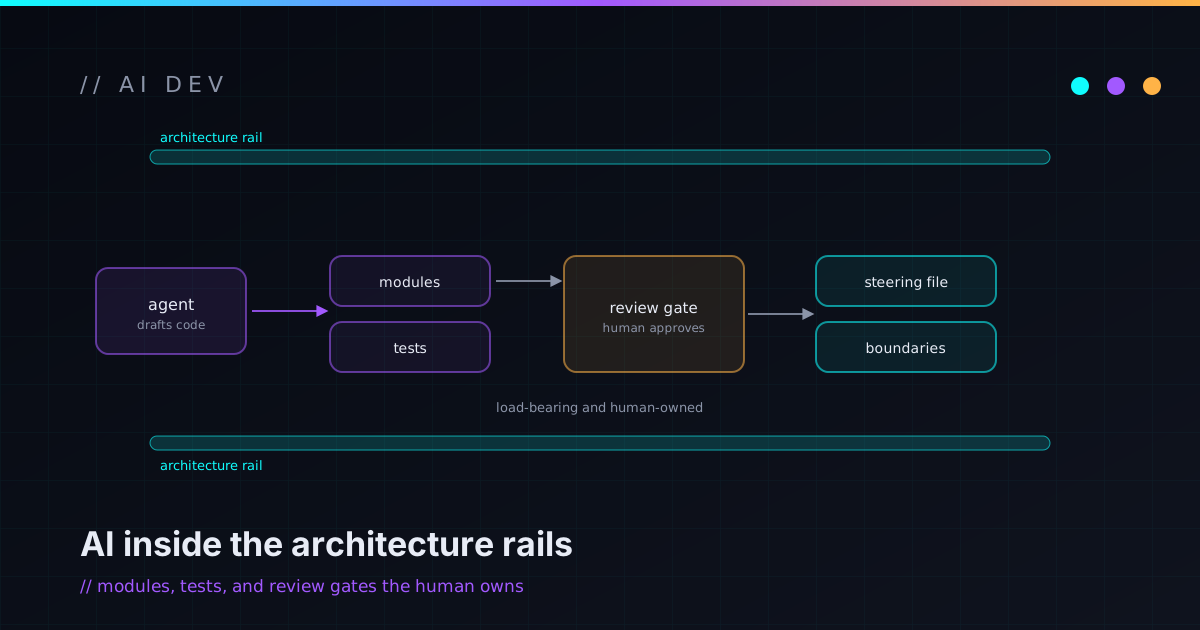
AI-assisted development is the most leverage I’ve had as an engineer and the easiest way I’ve found to quietly wreck a codebase. Both of those are true at once, and the difference between them is almost entirely about process. Here’s how I use agents to move fast without losing the thing that actually matters — the architecture.
AI is acceleration, not architecture
AI coding tools are incredible at producing volume. They are not, on their own, responsible for whether your system makes sense. Treat them like a very fast, very eager collaborator: great at execution, in constant need of direction and review.
That reframing changes everything downstream. An accelerator multiplies whatever you point it at. Point it at a clear plan and clean boundaries and you get more of that, faster. Point it at a vague request inside a tangled module and you get more tangle, faster. The model isn’t deciding your architecture — you are, every time you choose what to ask for. The architecture is still your job.
Small slices beat giant prompts
The single biggest lever is scope. I break work into small, well-defined slices with explicit acceptance criteria, then let the agent execute one slice at a time. A good slice prompt looks less like a wish and more like an engineering spec: here’s the goal, here are the constraints, here are the files in play, here’s what “done” means.
Small slices win for unglamorous reasons:
- They’re easier to prompt, because the context actually fits.
- They’re easier to review, because the diff is something a human can hold in their head.
- They’re easier to throw away when they go sideways — and some of them will.
Giant prompts feel productive because a lot of code falls out of them. But “a lot of code” is not the goal; correct, reviewable code is. A huge generated change is mostly a huge thing you now have to verify by hand. Slices keep the verification cost proportional to the work.
Constraints make agents safer
Counterintuitively, the more I fence an agent in, the better its output gets. A constrained workspace is a safer workspace.
The constraints that earn their keep:
- Small, single-purpose files, so a bad change is obvious in review instead of buried in a 600-line module.
- Explicit boundaries the agent is told not to cross — “don’t touch the data layer,” “this adapter is the only thing that talks to the provider.”
- A typed surface, so a whole category of mistakes becomes a compile error instead of a runtime surprise.
This is the same instinct behind NexusPort: keep provider-specific mechanics behind clean adapter boundaries so the messy part can’t leak into everything else. It works for human collaborators and it works for agents, because both of them make fewer dangerous mistakes when the dangerous things are simply out of reach.
Validation is the trust boundary
Generated code is a proposal, not a fact — and it arrives fast, which is exactly when it’s most tempting to wave it through. So validation has to be the gate, not a vibe. If anything, speed makes validation more important, not less: the faster plausible-looking code shows up, the more discipline it takes to confirm it’s actually right.
The loop has to close on every change:
- Type-check and build, every time.
- Run the app and look at the actual output, not the description of the output.
- Keep a checklist of what “done” means and refuse to accept a slice until it’s all green.
If it isn’t validated, it isn’t done — it’s just plausible.
Plausible is the specific failure mode of AI-generated code. It compiles in your head, it reads fine, and it’s subtly wrong in a way that only running it reveals. Validation is where speed turns back into trust.
Humans own taste and judgment
Models are good at patterns; people are good at taste. Naming, tradeoffs, what to leave out, when “technically correct” is still wrong, whether a thing is worth building at all — that’s human work, and it doesn’t delegate.
I want to be precise here, because the hype isn’t: this is not autonomous development, and I’m not claiming it replaces engineers or hits some magic productivity multiple. It’s a collaboration with a clear division of labor. The agent handles the toil; I keep the judgment. When those two get swapped — when the agent starts making the calls and I start rubber-stamping them — the quality falls off a cliff, fast and quietly.
Documentation keeps the next agent sane
Documentation isn’t a chore you do after the system exists; in an agent workflow, it’s part of the system. The next slice — run by you next week, or by an agent with none of today’s context — only goes well if the important decisions are written down where they’ll be read.
So I keep the things that travel: what the boundaries are, why a tradeoff went the way it did, what “done” means for this codebase, which paths are off-limits. A model can’t infer your intent from silence, and honestly neither can future-you at midnight. Good docs are how each slice starts from solid ground instead of re-deriving the whole architecture from scratch. The AI automation lab is largely an exercise in making that loop repeatable.
The loop that works
Stripped down, the whole method is one loop:
Scope a slice → write it as a spec → let the agent build it → validate hard → review with human taste → document the decisions → commit → repeat.
Fast, but still architected. That’s the trick, and there isn’t a secret beyond it: speed comes from the agent, soundness comes from the process, and the process is the part you can’t outsource.
If you want to see where this shows up in real work, the work page walks through the projects it produced. And if you’re trying to bring agents into your own stack without turning the codebase into a haunted house, that’s exactly what AI Workflow Architecture is built for — or just compare notes.