Engineering Practice
Your Load Generator Is Part of the Experiment
A benchmark measures the thing generating load as much as the system under test — so isolate the client, change one variable at a time, and never let a single generator feed many targets at once.
- Engineering Practice
- Benchmarking
- Performance
- Operations
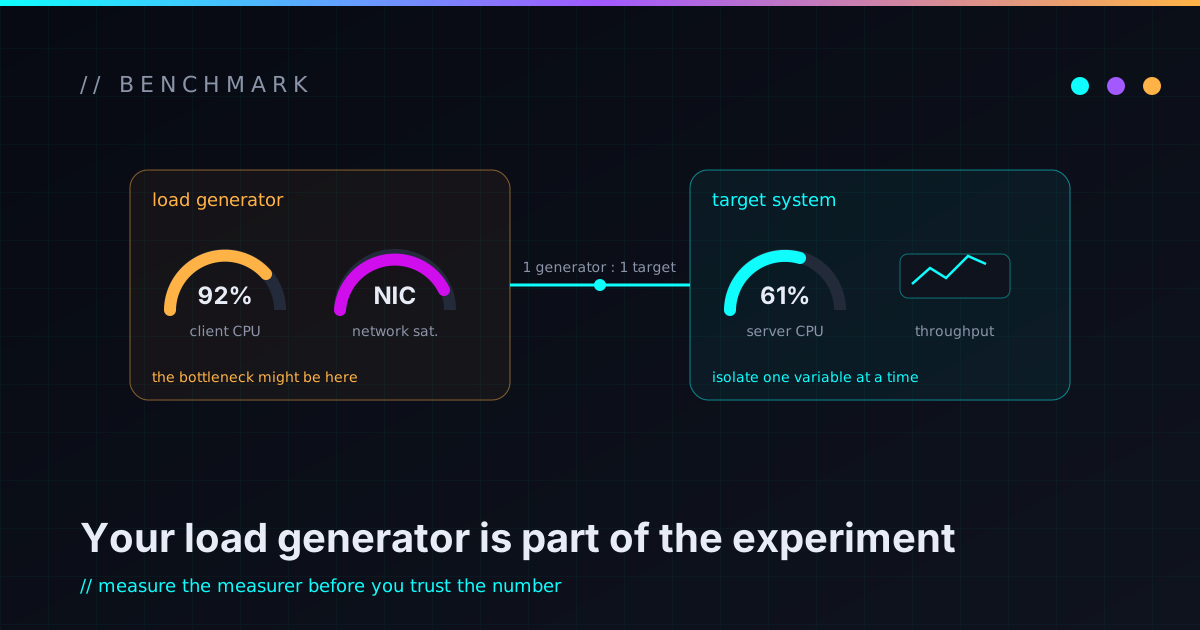
The first time you benchmark something seriously, you learn an annoying truth: you’re measuring two systems, not one. There’s the thing under test, and there’s the thing generating the load — and if you forget the second one exists, you’ll spend a day producing confident numbers that mostly describe your own client.
I went into a round of tuning work wanting a clean answer to “did this change help?” Getting an answer I could trust took more rigor about the measurement rig than about the thing I was supposedly measuring.
Put the generator on its own box
If the load generator runs on the same machine as the system under test, the two fight over the same CPU and the same memory and garbage collector. Now your throughput number is a blend of “how fast is the server” and “how much did the client steal from it” — and you can’t separate them after the fact.
So the client gets its own machine, on a short, fast network path to the target. Same physical proximity, zero resource contention. Then a difference between two runs can plausibly be attributed to the target, because the client was sitting off to the side the whole time instead of elbowing the server.
Change exactly one variable
This is experiment design 101, and it’s still the thing most home-grown benchmarks get wrong. If the only thing that differs between run A and run B is the change you’re testing, the delta means something. If three things differed, you’ve got a number and no idea what produced it.
Hold everything else still: same client, same dataset size, same operation count or duration, same thread profile, same schema. Reset the target to a known state between runs — reverting to a clean snapshot is the bluntest, most reliable way to wipe accumulated state so run B starts where run A did. Tedious, yes. It’s also the entire difference between a result and a vibe.
One generator, one target at a time
Here’s the mistake that’s easy to make when you’ve got a beefy load box and several targets to test: point the generator at all of them at once to “save time.” Don’t.
A single generator has a throughput ceiling. Aim it at four targets in parallel and you don’t get four full-speed tests — you get that one ceiling divided four ways. Each target sees a fraction of the load it should, the client pins near 100% CPU trying to feed everyone, and per-target throughput collapses — in my case each node’s numbers fell by roughly two-thirds versus testing it alone. The cruel part is that the runs still finish and still emit numbers, so it looks like it worked. It just quietly measured the generator instead of the targets, and flattened away the exact differences I was trying to see.
Run targets one at a time. A parallel benchmark from a single generator measures the generator.
If you genuinely need concurrent load, you need multiple independent generators — at which point they become part of the experiment too, and you’re back to making sure none of them is the bottleneck.
Find the knee, then compare there
Throughput-vs-threads isn’t a straight line. As you add client threads, throughput climbs, then flattens — and somewhere past the flattening, latency starts to balloon while throughput doesn’t. That knee, where throughput plateaus, is the interesting place: it’s where the system is actually working hard, and where a latency comparison between “before” and “after” tells you something real.
Ramp the thread count until throughput stops improving, and do your comparisons around that point rather than at some arbitrary low setting where both runs look identical because neither is breathing hard. A fixed-rate probe — hold the request rate constant and watch latency — is a clean way to separate the latency question from the throughput question entirely.
Watch the generator’s own vitals
The tell for all of this is the client’s own resource usage. Capture it alongside the server metrics, every run. If the generator is sitting near 100% CPU, stop: whatever number you just recorded is a measurement of the client, not the target. A trustworthy run is one where the target is the constrained resource and the generator still has headroom to spare.
None of this is exotic. It’s just taking the measurement apparatus as seriously as the thing being measured — which, when the apparatus is a whole separate computer under load, turns out to matter a lot. A benchmark you can’t attribute to a single cause isn’t a result; it’s a number with a good story. If you’re setting up your own comparison and want a second set of eyes on the method, I’m easy to reach.