Automation
Teach Your Scripts Which Network They're On
If a tool needs to behave differently depending on the network it's running from, don't rely on a human to remember which one that is — have it detect its environment from ranked, reliable signals, and know which signals lie.
- Automation
- Networking
- Scripting
- Reliability
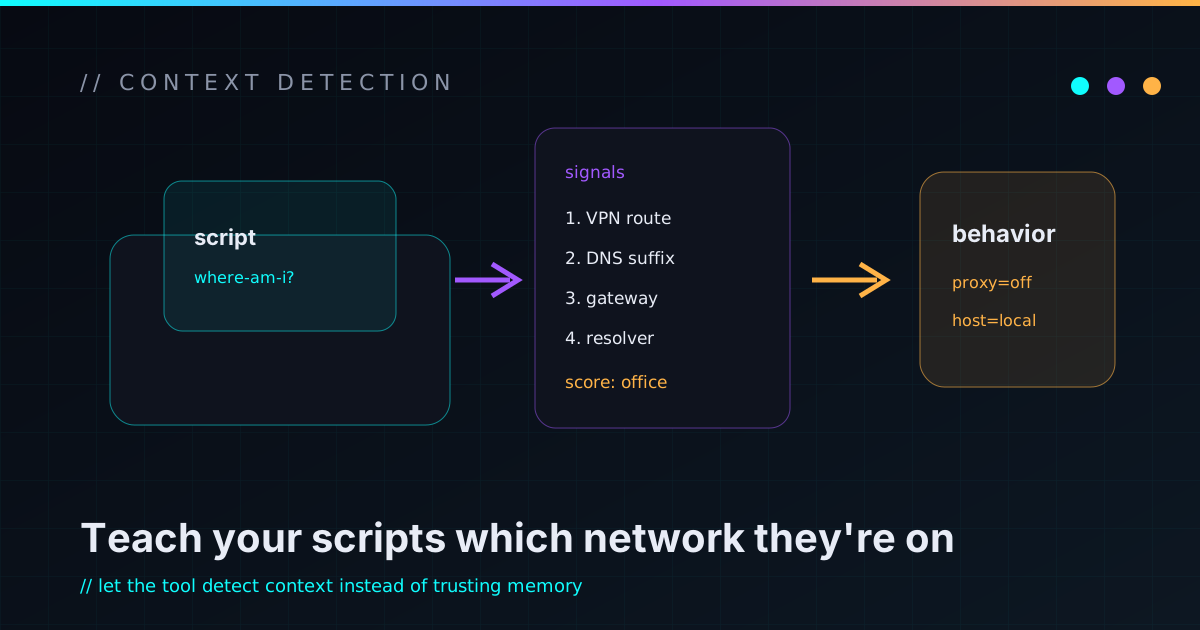
I kept hitting the same small failure: a tool that worked from one network and broke from another, because the right behavior depended on where my laptop happened to be — on the VPN, at my desk, or somewhere else. The lazy fix is a flag I pass to say which network I’m on. The lazy fix is also wrong, because I forget, and a tool that does the wrong thing when a human misremembers isn’t automation, it’s a trap with extra steps. The better answer is to teach the tool to detect its own environment — and the interesting part is learning which signals are trustworthy and which quietly lie.
If behavior depends on environment, detect the environment
Any time a tool’s correct behavior changes with context — which proxy to use, which hostnames resolve, whether to take a direct path or a tunnel — you have two options. Make the human assert the context every time, or make the tool figure it out. The first is fragile because humans are fallible and the cost of a wrong assertion is silent misbehavior. The second is a one-time cost that pays off on every run forever.
So I built a small detector: run it, and it prints which network it thinks it’s on. Everything else keys off that single source of truth instead of a flag I have to remember to set correctly under pressure. The goal is that being on the wrong network produces a clear answer (“you’re on X”), not a confusing failure three steps later.
A tool that needs to know where it is should find out for itself. Asking the human to remember is just outsourcing the bug.
Rank your signals by how much they lie
The heart of a detector is the signals it reads, and not all signals are equal. Some are nearly definitive; some are circumstantial; some are actively misleading. The whole craft is ordering them by reliability and deciding on the strongest one that fires. For “am I on the corporate VPN,” mine ran most-reliable first:
- The VPN tunnel itself. A virtual interface holding an address from the VPN’s assigned range, with the VPN client daemon running. This is about as definitive as it gets — if the tunnel is up, you’re on it.
- TLS interception. Many corporate networks man-in-the-middle outbound HTTPS, re-signing every certificate with an internal inspection authority. So if you open a TLS connection to any well-known public site and the certificate is signed by the company’s internal CA instead of the site’s real one, you’re behind the corporate proxy. It’s a strong, route-independent tell — and a useful reminder that on such a network, your “encrypted” traffic is being read.
- The local subnet. Your address being in a known range is a weak, circumstantial hint — fine as a tiebreaker, useless on its own.
Stronger signals override weaker ones. The detector decides on the best evidence available, not the first thing it happens to see.
The signal that fooled me: a full tunnel hides the LAN
The gotcha that cost me real time: when the VPN runs in full-tunnel mode, it routes essentially all traffic — including traffic to your own local subnet — back through the tunnel. So your physical network interface keeps its original LAN address, but none of its traffic actually goes out the LAN anymore. If you detect location by reading that interface’s IP, you’ll conclude you’re on the local network while every packet is silently going up the corporate tunnel.
The fix is to stop trusting the interface’s address and instead ask where does traffic actually go — read the default route’s interface, not the IP bolted to a NIC that’s been short-circuited. The lesson generalizes hard: the presence of a configured value isn’t proof it’s in use. An interface can hold an address whose traffic is being hijacked elsewhere. Check the behavior (the route packets take), not the artifact (the address sitting on an interface).
Platform gotchas hide in the tools you assume exist
A second, dumber lesson: the first version of the detector silently failed because
I bounded a network probe with a timeout command that doesn’t exist on stock
macOS. It’s a GNU coreutils tool; macOS doesn’t ship it. So the probe quietly
returned nothing — command not found — and the detector read that empty result as
“no interception detected,” producing a confident wrong answer.
That’s two bugs in one: a missing tool, and an empty result being misread as a meaningful one. The takeaway is to never assume a command exists across platforms — the lowest-common-denominator toolset is smaller than you think — and to make a missing signal distinguishable from a negative signal. “I couldn’t check” and “I checked and it’s false” must not collapse into the same branch, or your detector lies with total confidence.
A detector is only as honest as its failure modes
Pulling it together, the things that made the detector trustworthy weren’t the happy-path signals — they were the care around the dishonest ones:
- Rank signals; let strong ones override weak ones. Decide on the best evidence, not the first.
- Measure behavior, not configuration. The route traffic takes beats the address on an interface every time.
- Distinguish “unknown” from “false.” A probe that couldn’t run is not evidence of absence — handle it as its own case.
- Don’t assume your tools exist. Especially across operating systems; test what’s actually on the box.
- Make the verdict legible. A
-vmode that shows which signals fired turns “it guessed wrong” into “oh, that signal misfired, here’s why” — which is the difference between a detector you trust and one you second-guess.
It’s a small utility, but it taught a big habit: when correctness depends on context, build the thing that detects context, and spend your effort on the signals that lie. That’s the same instinct behind everything in the AI automation lab — let the tool act, but make it know the situation it’s acting in. If you’ve built environment detection that got fooled in an interesting way, I’d love to hear about it.