Software Consulting
Custom Software vs SaaS: When a Small Business Should Build Instead of Buy
A practical guide for small businesses deciding between SaaS tools, automation platforms, and custom software. Learn when to buy, when to build, and how to avoid expensive software mistakes.
- Custom Software
- Small Business
- SaaS
- Internal Tools
- Systems Design
- Consulting
Most small businesses do not need custom software.
That might sound strange coming from someone who builds it, but it is true. If an existing tool solves the problem cleanly, fits your workflow, protects your data, integrates with the rest of your business, and does not make everyone hate their job — you should probably just buy the tool.
The trouble is that a lot of businesses keep buying tools long after the tools stop solving the real problem. Eventually you end up with twelve subscriptions, three spreadsheets, two “temporary” workarounds, one person who knows how everything actually fits together, and a process that breaks every time that person goes on vacation.
That is usually the moment custom software starts to make sense. Not because custom software is magic, and not because SaaS is bad — but because the business has outgrown generic workflows and needs a system that matches how the work actually happens.
The build-vs-buy question is really a workflow question
Most people frame the decision as “should we buy software or build it?” A better question is: what workflow are we trying to make reliable?
That reframe changes the conversation. If the workflow is common, standardized, and not a competitive advantage, buying is almost always smarter. Payroll, accounting, email, calendars, basic CRM, ticketing, scheduling, file storage — these are not places where a small business should reinvent the wheel.
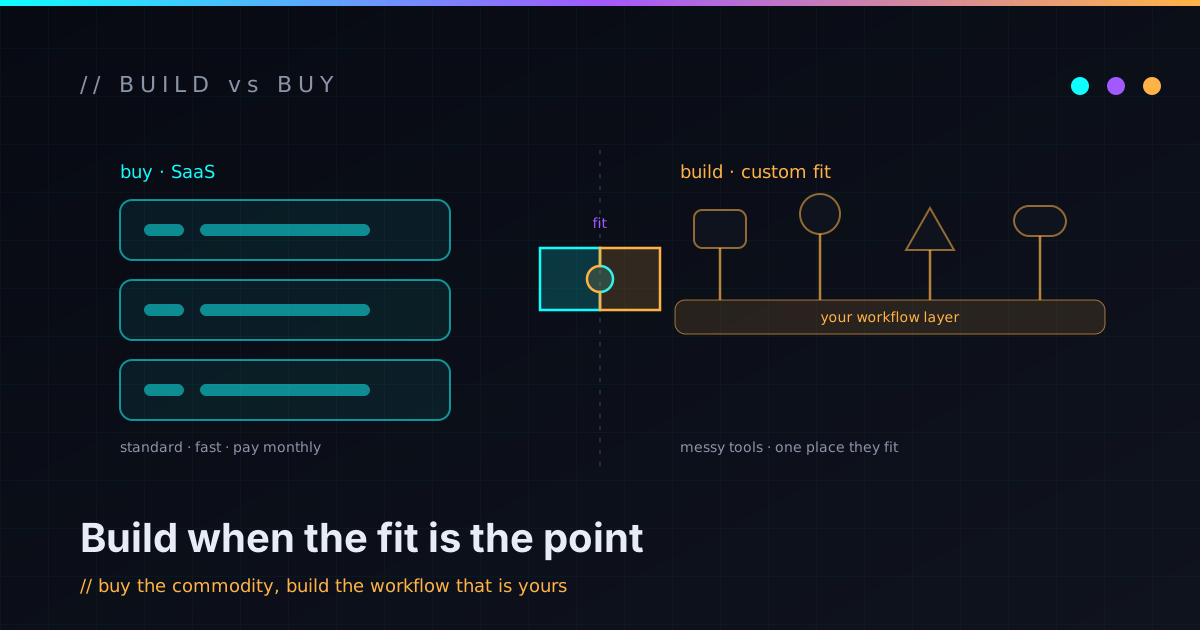
But if the workflow is specific to how your business operates, stitches several tools together, depends on unusual rules, or creates real operational drag, custom software is worth a look. Custom software is rarely about replacing every tool. More often it is about building the missing layer between the tools you already use.
When SaaS is the right answer
SaaS is usually the right answer when the problem is already well understood by the market. Most small businesses should not build their own accounting system — they should use QuickBooks, Xero, FreshBooks, Stripe, or whatever fits. Most should not build their own email platform, calendar, document storage, or password manager either.
Buying wins when:
- The process is standard across many businesses.
- The tool already does 80–90% of what you need.
- The subscription costs less than building and maintaining the equivalent.
- The vendor handles security, updates, backups, and compliance better than you could.
- Your team can learn it without heavy customization.
- It integrates cleanly with the rest of your stack.
There is no prize for rebuilding something a mature product already does well. A good consultant should be willing to say “do not build this” — and mean it.
When SaaS quietly becomes the problem
SaaS sprawl rarely arrives all at once. It creeps. One tool for scheduling, one for forms, one for proposals, one for support, one for CRM, one for invoices, one for reporting. Each addition makes sense on its own.
Then the glue starts showing. Data gets copied from one system to another by hand. Staff keep asking which spreadsheet is the source of truth. Customer information lives in five places. Reports require exports. Automations break silently. Nobody is sure whether the CRM or the billing platform is more accurate.
The hidden cost is not the monthly bill — it is the operational drag underneath it:
- Duplicate data entry and manual reconciliation
- Inconsistent customer records and reporting gaps
- Fragile automations that fail without telling anyone
- Permission chaos and lost context between teams
- Training complexity and vendor lock-in
At some point the business is not really paying for software anymore. It is paying people to babysit software. That is where a custom internal tool, an integration layer, or a small workflow system starts to earn its keep.
When custom software is worth considering
Custom software makes sense when a problem is specific, repeated, and expensive enough to justify a better system. Good candidates tend to look like:
- Internal dashboards that combine data from several systems
- Customer portals with business-specific workflows
- Quote, estimate, or proposal generators
- Scheduling or approval flows with rules no off-the-shelf tool models well
- Inventory or field-operations tools
- Reporting and reconciliation tools that replace manual exports
- A lightweight CRM for a niche workflow
- Anything currently held together with spreadsheets and someone’s memory
The deciding factor is repetition. A workflow that happens once a month and takes ten minutes is not worth building around. A workflow that happens every day, touches customers, creates mistakes, delays revenue, or requires one specific person to manually coordinate everything — that is worth examining.
Custom software doesn’t have to mean a giant platform
A lot of people hear “custom software” and picture a six-month project with a huge budget: user accounts, permissions, billing, admin panels, and a roadmap that eats the company alive. That is not where most small businesses should start.
Start with the smallest useful tool — a dashboard that shows the current state of operations, a form that produces clean structured data, a script that reconciles two systems, an admin page that finally retires a spreadsheet. The first version exists to prove the workflow. A small tool that saves time every week beats a giant platform that never ships. This is the same small-slices philosophy I lean on in every build: ship a thin, complete piece, learn from it, then decide what comes next.
The best custom software often lives between your tools
Custom software does not always replace SaaS. Often it connects it. A contact form feeds the CRM, creates a task, and drafts a response. A Stripe payment kicks off onboarding steps elsewhere. A support request opens a ticket and pulls in customer context. A vendor API feeds a pricing calculator. A manual weekly report becomes an automated review page.
This middle layer is where a lot of small businesses find leverage. You keep the tools that already work and add a custom system only where the generic tools fail to match the workflow — usually far cheaper, safer, and easier to maintain than ripping everything out. It is the kind of glue I prototype constantly in my own AI automation lab, and the hard part is rarely the wiring. It is making the automation trustworthy, which is a whole discipline of its own: dry runs, logs, and an obvious off switch before anything touches production.
The real risks of custom software
Custom software carries genuine risk, and pretending otherwise is how businesses get burned. A custom tool needs maintenance. APIs change. Business rules change. Security updates, hosting, backups, and documentation all matter. Someone has to understand how it works.
The biggest risk is not the first build — it is building something nobody can maintain. Bad custom software creates a new dependency instead of removing one. Before building anything, get honest answers to:
- Who owns this system, and what happens if it breaks?
- Where does the source code live, and how is it deployed?
- How are secrets stored and backups handled?
- Who can access the data, and what logs exist?
- Can we export the data if we need to leave?
- Can someone else understand the code later?
- What is the manual fallback when it is down?
A custom system should reduce operational risk, not turn into a mysterious black box with a single point of human failure.
A decision checklist
Run through this before you commit either way.
Lean toward buying SaaS when:
- The workflow is common and standardized.
- Existing tools solve most of the problem.
- You do not need unusual business logic.
- The built-in reporting is good enough.
- The monthly cost is reasonable.
- Your team can use it without major workarounds.
- The data does not need to flow through many other systems.
Consider custom software when:
- The workflow is specific to your business.
- Staff are copying data between systems by hand.
- Spreadsheets have quietly become production infrastructure.
- Existing tools require constant workarounds.
- Reporting depends on manual exports.
- The process creates delays, errors, or missed follow-ups.
- You need several systems to behave like one.
- You need real audit logs, validation, or approval controls.
For many businesses the honest answer is both: buy the standard tools, then build the thin custom layer that makes them work together.
From spreadsheet to internal tool
A spreadsheet is often the first version of an internal tool, and that is fine — spreadsheets are flexible, fast, and easy to change. The problem starts when the spreadsheet becomes a production system: only one person understands it, formulas break, rows get overwritten, there is no permission model, history is invisible, and the workflow depends on people remembering the next step.
That does not automatically mean you need a full application. The first custom version might simply add structure — a real form for data entry, validation rules, a database behind it, a simple dashboard, status tracking, an audit trail, role-based access, exports, and a notification or two. The goal is not to make it fancy. The goal is to make the workflow reliable.
The same pattern shows up on the customer side. Plenty of businesses run customer workflows through email because email is universal — until customers need status updates, document uploads, approvals, or repeatable requests. A small portal that lets a customer submit a request, upload what is needed, check status, and approve a quote can quietly remove a mountain of back-and-forth, and it hands the business cleaner data on the way in.
Map the workflow before you build
Custom software should not be used to discover your process from scratch. Before building, map the workflow by hand. Write down what starts it, who is involved, what information is needed, what decisions happen, which systems get touched, where mistakes occur, what should be automated, and what should require a human approval. Define what “done” actually means.
If you cannot explain the workflow clearly on paper, the first step is process design, not code. Code makes a workflow real. It does not automatically make it good.
What a good custom software consultant actually does
A good consultant does not open by selling you a big application. The job is to find the right level of solution. Sometimes that means recommending an existing SaaS product. Sometimes it means fixing the workflow before a line of code is written. Sometimes it means a small automation, or a focused internal tool — and sometimes it means saying “this is not worth building yet.”
The point is to protect the business from expensive complexity while still solving the real problem. Good work should leave you with clearer workflows, better technical decisions, maintainable systems, documentation, and honest tradeoffs — plus a path from a small useful slice to a bigger system if you ever need one. That is exactly how I approach an automation sprint or a larger build, and you can see the broader shape of how I work on the work page. The goal is never just to ship software. It is to ship software the business can actually trust.
FAQ
Is custom software worth it for a small business?
It can be, when a repeated workflow is expensive, error-prone, or poorly served by existing tools. It is usually not worth it for common business functions — accounting, email, scheduling — that mature SaaS products already handle well.
Should I build custom software or use SaaS?
Use SaaS when the workflow is standard and a tool already solves most of it. Consider custom software when your workflow is specific, needs unusual rules, connects several systems, or creates too much manual work with off-the-shelf tools.
What is an internal tool?
An internal tool is software built for your team rather than the public — a dashboard, admin panel, report generator, intake system, approval flow, or integration layer that helps the business run more reliably.
What is SaaS sprawl?
SaaS sprawl is what happens when a business accumulates too many disconnected tools. Each may be useful alone, but together they create duplicated data, manual reconciliation, reporting gaps, permission issues, and fragile processes.
How should a small business start with custom software?
Start with one small workflow. Map the manual process, find the painful step, build the smallest useful version, test it with real examples, document it, and expand only after it proves itself.
Build the system you actually need
Custom software is not automatically better than SaaS. The right answer depends on the workflow, the risk, the cost, the team, and who maintains it a year from now.
For most small businesses the smartest path is neither “buy everything” nor “build everything.” It is: buy the standard tools, automate the repetitive handoffs, and build custom software only where the workflow is specific enough to justify it. That is how you sidestep both traps — the subscription jungle and the giant custom platform nobody asked for. The best system is simply the one your business can use, trust, and maintain.
If you have a workflow that has outgrown spreadsheets, duct-taped SaaS tools, or manual handoffs, that is the conversation I like having. I help turn messy business workflows into maintainable software, automation, and internal tools — so if you are trying to decide whether to buy, automate, or build, reach out and I will help you think through the first practical slice.