Security
Small Business Cybersecurity Checklist: Practical Security Without Enterprise Theater
A practical small business cybersecurity checklist covering MFA, passwords, backups, email security, device management, vendor risk, access control, logging, and incident readiness.
- Cybersecurity
- Small Business
- IT Security
- Security Audit
- Risk Management
- Consulting
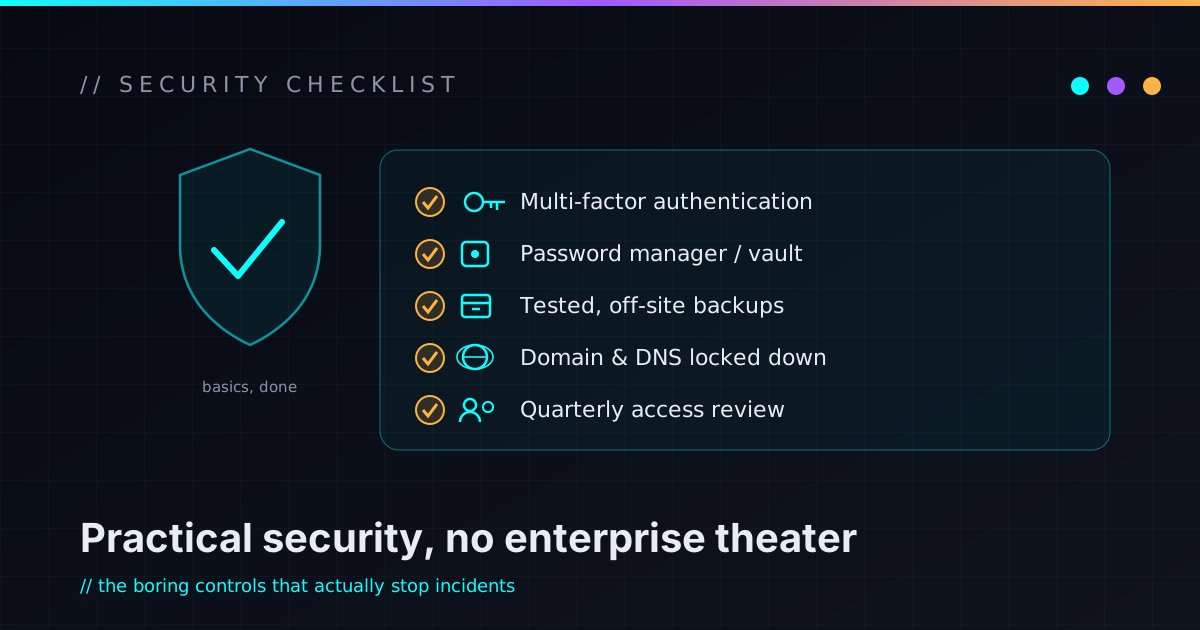
Small business cybersecurity does not need to start with a giant platform, a scary dashboard, or a consultant selling you enterprise tools you will never fully use. It should start with the boring things that actually move risk.
Can attackers log into your email? Can one stolen password unlock everything? Can ransomware reach your only copy of the files? Can a former employee still get into business systems? Can someone spoof your domain? Would you know what happened if something went wrong — and could you recover without panic?
That is the real checklist. Everything below is just the long version of those questions.
The goal is not to become “unhackable.” That is not a real state, and anyone selling it to you is selling theater. The goal is to make common attacks fail more often, shrink the blast radius when one gets through, and make recovery a procedure instead of a crisis. Good security at this size isn’t fear — it’s operational hygiene, the same instinct as keeping backups and writing down how things work.
Start with the accounts that can unlock everything else
For most small businesses, the highest-risk system isn’t a server. It’s email. Email is where password resets land, invoices arrive, customers send information, and vendors talk to you — the recovery path for nearly every other account you own. Compromise the primary inbox and an attacker can reset passwords, impersonate the business, read customer conversations, and quietly redirect an invoice to their own bank.
So security spend should follow business impact, not novelty. Protect the keys to the kingdom before polishing anything low-risk. The accounts that earn the strongest protections first:
- Business email
- Domain registrar and DNS provider
- Website hosting
- Banking, payments, and accounting software
- Password manager
- Cloud storage and your CRM
- Social media accounts
- Admin logins for any critical software
If you only do one pass this quarter, make it this list. The rest of the checklist is a rounding error next to whether these accounts can be taken over.
Require MFA where a stolen password would hurt
Multi-factor authentication is the single most practical upgrade most small businesses can make. MFA means a password alone isn’t enough — the login also needs a second factor like an authenticator app, a hardware security key, or a device prompt. Turn it on for email, admin accounts, banking and payments, accounting, domain and DNS, hosting, your password manager, cloud storage, remote-access tools, social media, and anything holding customer data.
Avoid SMS-based MFA when a better option exists — SIM-swapping makes texted codes the weakest second factor. SMS still beats nothing, but an authenticator app is stronger, and for the truly critical accounts (email, banking, domain registrar) a hardware security key is the gold standard.
A stolen password should be an annoyance, not a takeover. That’s the whole job MFA is doing.
Use a password manager so reuse stops multiplying breaches
Password reuse is the cheapest way to turn one breach into many. If someone reuses the same password across email, banking, and a random vendor portal, one leaked website becomes a much larger problem somewhere that actually matters.
A password manager makes strong, unique passwords realistic instead of aspirational. For a small business, look for one that supports shared team vaults, per-user access controls, secure sharing (so credentials stop living in chat and email), health checks, MFA, and a clean way to cut access when someone leaves. The deeper win isn’t just stronger passwords — it’s fewer secrets drifting around in spreadsheets, text threads, sticky notes, and old emails. Passwords are business assets; manage them like ones.
Review who has access — then take some of it away
Access control is one of the most boring parts of security, which is exactly why it gets neglected. Access accumulates quietly: a contractor gets added to a tool, an employee changes roles, a vendor needs “temporary” access, a shared admin login appears, someone leaves but their account lingers because everything still works. That is how risk compounds without anyone deciding it should.
A few times a year, walk the list: who can read email, who has admin, who can touch customer data or payment tools, who can modify DNS or hosting, who can publish to the site, who can invite new users, which shared accounts exist, and which old accounts should be disabled.
The principle is least privilege — people get the access their job needs, not permanent access to everything. When someone leaves, disable their access quickly and rotate any shared credentials they knew. This is the same instinct I argue for in security is architecture, not decoration: the narrower the access, the smaller the mess when something goes wrong.
Treat backups as the thing that decides how bad a bad day gets
Backups are the line between “this is annoying” and “the business is on fire.” A good strategy quietly protects you from ransomware, accidental deletion, hardware failure, a bad software update, a vendor outage, and ordinary human mistakes. Cover the things that would actually hurt to lose: important documents, customer records, website files and databases, accounting data, project files, configuration, and your password manager’s recovery information.
The most important rule is the one people skip: a backup you have never restored is a hope, not a plan. You don’t need to test every file every week, but you do need to have proven, at least once, that recovery works. A practical setup is automatic, versioned, keeps an offsite or cloud copy, is protected from both accidental deletion and ransomware reaching the backup itself, has a clear owner, and comes with a short written restore procedure.
And know the difference between sync and backup. If everything important lives in one synced folder and that folder gets encrypted or corrupted, synchronization will cheerfully sync the disaster to every device. Sync is convenience; backup is recovery. They are not the same thing.
Keep software updated, especially the stuff facing the internet
Patching is not glamorous, but outdated software is one of the most common ways attackers get in. The things worth tracking: operating systems, browsers, phones, your password manager, website CMS platforms (and WordPress plugins and themes), routers and firewalls, remote-access software, accounting tools, line-of-business apps, and the dependencies behind any custom site or app.
Risk is highest for anything internet-facing — remote access, browsers, email clients, and anything that opens files from outside the business. A workable process is not complicated: know what systems you have, know who owns updates, apply security patches quickly, retire software nobody maintains, and avoid unsupported operating systems.
The dangerous sentence is “we haven’t touched that in years.” Sometimes that means stable. Sometimes it means abandoned. You want to know which.
Lock down your email domain, not just your inbox
Email security isn’t only about user accounts — your domain matters too. If your domain’s authentication records aren’t configured, attackers have an easier time spoofing messages that look like they came from you.
Review your SPF, DKIM, and DMARC records. Together they tell receiving mail systems which servers are allowed to send mail for your domain and what to do with messages that fail the check. This matters most if you send invoices, quotes, customer updates, login links, or anything touching payments. Email authentication won’t stop every scam, but it shuts down a major class of impersonation — and as a bonus, it makes your legitimate mail look more trustworthy to the big providers, which helps deliverability. If the records read like alphabet soup, this is a reasonable thing to hand to someone technical.
Train people for the attacks they actually see
Security awareness doesn’t need to be a yearly slideshow everyone clicks through half-asleep. It should focus on what people genuinely encounter: fake invoices and payment-redirection scams, password-reset phishing, fake Microsoft or Google login pages, vendor impersonation, gift-card scams, malicious attachments, fake DocuSign or file-share links, social account takeovers, “urgent” messages from the owner, QR-code phishing, and fake support calls.
Make the training practical. Show real examples, explain what to check, make it safe to ask questions, and give people a simple way to report something suspicious. Above all, don’t punish people for reporting — the moment reporting feels risky, it stops.
The best security culture isn’t “never click anything.” That’s unrealistic, and everyone knows it. The better goal is: when something feels off, people slow down and verify through a second channel before money or credentials move.
Know which devices can reach your business — before one goes missing
Business data lives on laptops, phones, tablets, and desktops. If those devices are unmanaged, unpatched, casually shared, or trivially unlocked, they become a real exposure. Worth reviewing: screen locks, disk encryption, OS and browser updates, endpoint protection, local admin rights, lost-device procedures, the line between personal and business devices, remote-wipe options, secure Wi-Fi, whether you actually need a VPN, and a basic device inventory.
Not every small business needs a full device-management platform on day one. But every business should be able to answer one question: if a laptop with access to email, cloud storage, and accounting walked out the door tonight, what happens next? That deserves an answer before the laptop disappears, not after.
Be deliberate about vendors and integrations
Small businesses run on vendors — accountants, web developers, marketing tools, CRMs, payment processors, IT providers, automation platforms, contractors, and consultants. Vendor risk matters because a vendor may hold access to your data, your systems, your customers, or your brand.
You don’t need to mail every vendor a 200-question enterprise questionnaire. You do need the practical ones: What access does this vendor actually need? Can we limit their permissions? Do they support MFA? How do we remove their access later? What data do they store, where, and who can see it? What happens to our data if we leave — can we export it? The failure mode here is quiet: handing permanent admin access to every tool and never looking again. A contractor who finished six months ago should not still have the keys.
Log the things you’ll wish you had
Logs are boring right up until something breaks — then they’re the only thing you care about. You want enough visibility to answer basic questions after the fact: who logged in and from where, who changed a setting, deleted a file, added a user, or exported data, and which website changes were deployed.
You don’t need to hoard infinite logs forever — just enough to investigate a suspicious event or an honest operational mistake. For critical tools, check whether audit logs even exist and whether your plan includes access to them. Some SaaS platforms tuck the useful logs behind a higher tier, which is much better to learn now than during an incident.
Write the incident plan down before you need it
An incident plan doesn’t need to be a binder. It can start as a single page. The point is to avoid making every decision for the first time in the middle of a crisis.
A basic plan names who’s responsible, who to call for technical help, how to reach key people if email itself is compromised, where the backups are, how to reset critical passwords and disable accounts, how to contact your bank and your hosting/DNS providers, how to preserve evidence, how to talk to customers if you have to, and which systems matter most.
Then store it somewhere that doesn’t depend on the system that might be down. This is really an extension of the idea that documentation is infrastructure: a recovery procedure that only exists in one person’s head isn’t a procedure you actually have.
If your entire incident plan lives in the email account that just got hacked, you don’t have an incident plan.
The practical small business cybersecurity checklist
Start here. Work top to bottom; don’t try to finish it in a weekend.
Accounts
- MFA is enabled on critical accounts.
- Every important account has a unique password.
- A password manager holds shared credentials.
- Admin accounts are limited to who needs them.
- Former employees and vendors have been removed.
- Shared accounts are reduced or at least documented.
- Business email requires MFA.
- SPF, DKIM, and DMARC are configured.
- Staff know how to report a suspicious message.
- Payment-detail changes are verified through a second channel.
- Auto-forwarding rules are reviewed for anything unexpected.
Backups
- Important data is backed up automatically.
- Backups are protected from ransomware and accidental deletion.
- A restore has actually been tested.
- Website and database backups exist if applicable.
- Someone owns the backup process by name.
Devices
- Devices use screen locks and are encrypted where possible.
- Operating systems and browsers are kept updated.
- A lost-device procedure exists.
- Business devices are inventoried.
- Local admin access is limited where practical.
Website and hosting
- HTTPS works everywhere.
- Admin panels are protected.
- Plugins and dependencies are updated.
- Contact forms have spam protection.
- Registrar, DNS, and hosting access are secured and limited.
Vendors
- Vendor access has been reviewed.
- MFA is required where the vendor supports it.
- You understand the data-export options.
- Unused vendor accounts are removed.
- Contractors don’t keep permanent admin access by default.
Operations
- Critical systems are documented.
- Incident contacts are written down and reachable offline.
- Important logs are available.
- A basic recovery plan exists.
- Security responsibilities are assigned.
- Risky changes get a second set of eyes.
What you can check yourself
A business owner can move a surprising amount of this without being a security expert. Concrete first steps:
- Turn on MFA for email, then for banking, payments, and accounting.
- Install a password manager and start using it.
- Review who has access to your core tools and remove old users.
- Test your contact form, and confirm backups exist.
- Restore one file from a backup, just to prove it works.
- Update your computers and browsers.
- Search your docs and spreadsheets for old shared passwords.
- Check who can touch your domain registrar and DNS.
- Ask your staff what they’d do if they clicked a suspicious link.
None of it is glamorous. All of it reduces real risk.
When to bring in technical help
Bring in help when the risk is unclear, the systems are messy, or the business leans hard on technology nobody has reviewed in a while. Specifically, when:
- You’re not sure who has access to what.
- Business email has already been compromised.
- The website is behaving strangely or shows signs of malware.
- Backups exist, but nobody knows if they’d actually restore.
- You’re juggling many SaaS tools with inconsistent permissions.
- You handle customer data with no real security process around it.
- The domain, DNS, and email setup is confusing.
- You depend on custom software or automations.
- You want a real security audit — and a prioritized fix list, not a scary report.
A good security review shouldn’t just dump a pile of problems on you. It should say what matters first, what can wait, what risk each issue actually creates, and what fix is proportionate to a business your size. That’s the difference between an infrastructure sanity pass on a messy setup and a deeper security-minded architecture review when the design itself needs scrutiny. The kinds of systems behind that thinking are on the work page.
FAQ
What is small business cybersecurity?
The practice of protecting a business’s accounts, devices, data, website, email, vendors, and workflows from common digital threats — through practical controls like MFA, a password manager, tested backups, software updates, access reviews, email authentication, and a basic incident plan, applied at a scale that fits the business.
What is the most important cybersecurity step for a small business?
For most, securing the accounts that unlock everything else: email, banking, accounting, the domain registrar, DNS, hosting, and the password manager. Strong unique passwords plus MFA on those accounts remove a large share of common risk before you touch anything else.
Does a small business need a cybersecurity audit?
Consider one if you handle customer data, run many SaaS tools, accept online payments, or simply don’t know whether backups, MFA, access control, and email security are configured correctly. An audit turns “I think we’re fine” into a prioritized list you can actually work through.
How often should a small business review cybersecurity?
A light review each quarter covers user access, backups, updates, and critical accounts. A deeper review makes sense after hiring or vendor changes, a major website change, a security incident, or a stretch of fast growth.
What’s the difference between cybersecurity and IT support?
IT support mostly keeps systems working; cybersecurity focuses on reducing risk, limiting access, protecting data, spotting suspicious activity, and planning for incidents. In a small business the two overlap heavily, but they answer different questions — “is it running?” versus “what’s our exposure if it’s attacked?”
Can a small business be completely secure?
No business can be completely secure, and treating “unhackable” as the goal leads to wasted money and false confidence. The realistic aim is to make common attacks fail more often, limit the damage when one gets through, recover faster, and fold security into normal operations.
Fix the boring risks first
Small business cybersecurity isn’t about buying the fanciest tool. It’s about protecting the systems that keep the business alive — and most of that work is unglamorous on purpose.
Secure email, require MFA, use a password manager, review access, back up the important data and prove the restore works, patch what’s exposed, protect devices, verify payment changes through a second channel, watch your vendors, and write the recovery plan down. None of it is dramatic. All of it works — and it works best when it becomes part of normal operations instead of a panic project after something breaks.
If your business has grown around a pile of tools, shared logins, half-remembered accounts, and “I think someone set that up years ago” — that’s fixable, and it’s exactly the kind of mess that rewards being untangled one slice at a time.
I help small businesses and technical founders turn messy IT and security setups into understandable, maintainable systems. If you want a practical cybersecurity audit with fixes prioritized by real risk — not a fear-based sales report — reach out and we’ll figure out the first slice together.