Websites
Static Website vs WordPress: What Small Businesses Should Choose
A practical guide for small businesses deciding between a static website and WordPress, covering speed, security, SEO, maintenance, editing, cost, and when each option actually makes sense.
- Static Websites
- WordPress
- Small Business
- Web Performance
- Technical SEO
- Web Development
A lot of small business websites are more complicated than they need to be.
They have a full CMS, plus plugins, themes, page builders, database backups, security updates, a caching plugin, an image plugin, an SEO plugin, a form plugin, an analytics plugin, a popup plugin, and then one more plugin to stop the other plugins from fighting. Sometimes that complexity earns its keep. Sometimes it’s just a haunted house with a contact form.
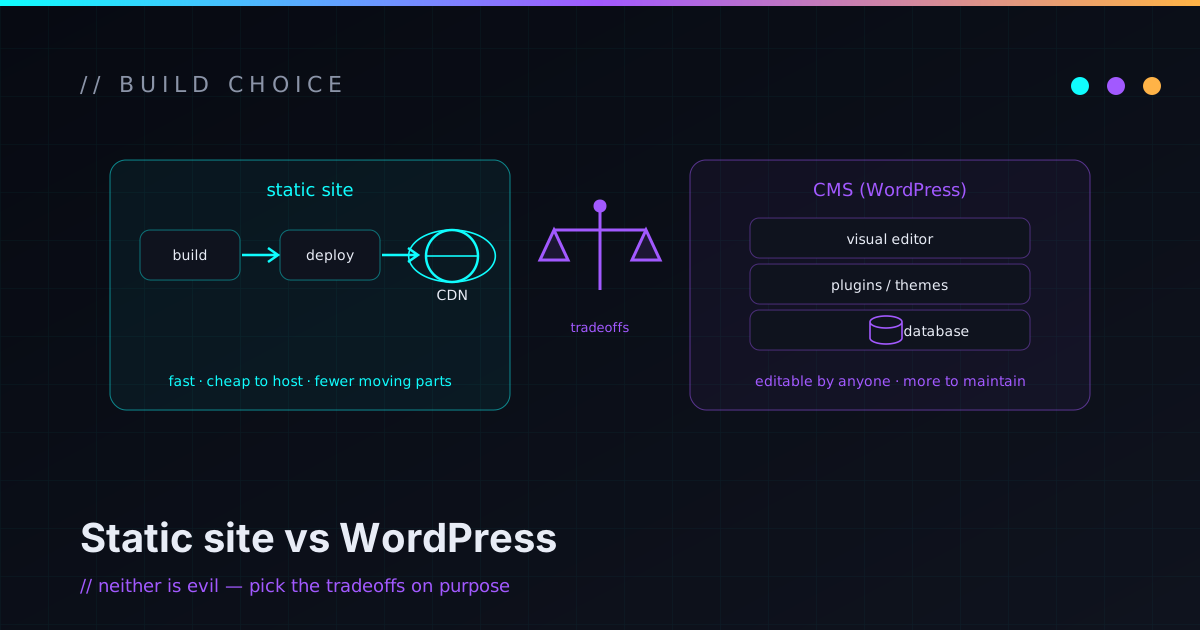
If you’re building or rebuilding a small business website, one of the first real decisions is whether you need a dynamic CMS like WordPress or a faster, simpler static site. The honest answer is that it depends on how the site gets used — not on which option is trendier. WordPress can be a great choice. A static site can be a great choice. The trick is matching the tool to the business instead of choosing by habit.
What a static website actually is
A static website is one where the pages are built ahead of time and served as plain files. That sounds technical, but the business version is simple: a visitor requests a page, the server or CDN hands it back fast, and there’s no database query, plugin stack, or per-request server work standing between the click and the content.
Modern static sites are not hand-coded HTML from 2004. They’re built with tools like Astro, Eleventy, or Hugo, and they can still have blogs, service pages, case studies, contact forms, RSS feeds, sitemaps, social-share images, and a polished design. The difference is when the work happens: most of it runs once, during the build, instead of again and again for every visitor. For a lot of small business sites, that single shift is the whole advantage.
What WordPress is genuinely good at
WordPress is popular for real reasons. It’s flexible, widely supported, familiar to marketers, and backed by an enormous plugin ecosystem. If you need a site that non-technical people edit through a dashboard every day, WordPress is often the right call.
It tends to be a good fit when:
- Non-developers need to edit content frequently.
- You have multiple authors and a real editorial workflow.
- You depend on specific WordPress plugins or WooCommerce.
- You already run a healthy WordPress site that’s well maintained.
- Someone owns updates, backups, and security as an actual responsibility.
WordPress isn’t the problem. Unmaintained WordPress is the problem. A clean install on good hosting, with a short plugin list, real backups, and a maintenance plan, can run for years. The trouble starts when WordPress becomes the reflexive answer for every site — even a five-page service business that just needs to load fast and capture a lead.
What static sites are good at
Static sites shine when the site mostly publishes information rather than running user accounts or server-side workflows. That covers a huge slice of small business work: service sites, consultant portfolios, local businesses, landing pages, documentation, blogs, case study libraries, and personal brand sites.
They’re especially strong when speed, security, and maintainability matter more than dashboard editing. A static site can still feel modern — animations, forms, analytics, clean metadata, structured content — it just sheds a lot of runtime machinery. Fewer moving parts means fewer things that can quietly break at 2am. It’s the kind of build I lean on most for small operators, and a big part of the static site work I do.
Speed: static usually starts ahead
Speed is one of the clearest reasons to consider going static. Because pages are generated in advance, they can be served straight from a CDN — no database lookup, no theme load, no plugin logic assembling the page on every request.
That doesn’t make static automatically fast. You can still wreck a static site with giant images, too much JavaScript, heavy embeds, or a pile of tracking scripts. But the baseline is cleaner, and a simple site stays fast because the architecture is simple. That matters for small businesses because most visitors aren’t browsing calmly from a fast desktop. They’re on a phone, on a mobile connection, mid-task, comparing options, trying to reach someone quickly. A site that loads fast feels more trustworthy before a single word is read.
Security: a smaller surface to defend
A static site can cut certain risks because there’s no public CMS login, no attached database, and no plugin system executing on every request. There’s no admin page to brute-force and no outdated plugin running server-side code.
That doesn’t make it magically secure, and I won’t pretend any site is. You still have to care about domain and DNS access, hosting accounts, deployment tokens, how contact forms are handled, third-party scripts, and dependency updates.
Often the best security upgrade isn’t a scary new tool — it’s removing complexity the business never needed.
Compared with a plugin-heavy CMS, a static site usually presents a smaller attack surface, and for a lot of service sites that’s a practical, real-world win. I’ve written more about treating security as architecture, not decoration if you want the longer version of that argument.
Maintenance: static can stay boring
Maintenance is where static earns its reputation. A static site still needs care — dependencies kept current, content kept fresh, forms tested, metadata reviewed, hosting and DNS watched. But it sidesteps the grinding CMS cycle: plugin updates, theme updates, database backups, plugin conflicts, PHP version surprises, admin spam, login attacks, and page builders that break on a Tuesday for no reason.
The site behaves more like software: versioned, reviewed, deployed, and rolled back through a controlled process. That’s the wrong fit for a marketing team that tweaks a page ten times a day, but for many small businesses and technical founders, “boring and predictable” is exactly the maintenance profile they want.
Editing workflow: this is the real tradeoff
The biggest honest downside of static is editing. WordPress hands you a dashboard. Static sites usually mean files — Markdown, MDX, Git — or a headless CMS bolted on. Depending on the business, that’s either a feature or a headache.
A typical static editing workflow looks like: write posts in Markdown, keep structured data in content collections, make changes through Git, preview before publishing, and deploy through a platform like Cloudflare Pages, Netlify, or Vercel. For technical people, that flow is genuinely pleasant. For a non-technical owner who just wants to fix a paragraph, it can be annoying unless there’s a headless CMS layer or a support arrangement in place.
So the decision really comes down to who maintains the site. If the owner wants to edit everything personally from a dashboard, WordPress probably wins. If the business is fine with changes flowing through a controlled, reviewable workflow — or having someone handle edits — static is often the better trade.
SEO: either can rank if it’s built right
Both platforms can perform well in search. SEO comes down to content, structure, technical execution, speed, internal links, and how competitive the topic is — not the logo on the CMS. WordPress has well-known SEO plugins that make metadata easier to manage, but installing one doesn’t create good SEO any more than buying a gym membership creates muscles.
A static site can have excellent technical SEO when it’s built with the basics handled: unique titles and meta descriptions, canonical URLs, clean URLs, a sitemap, sensible robots rules, structured headings, social metadata, image alt text, internal links, fast loads, and responsive layouts. For small business SEO those fundamentals carry most of the weight — search engines need to understand what you do, who you help, where you operate if location matters, and which pages are important. The platform matters far less than the execution. You can see how that plays out across real builds on the work page.
Cost: cheap to start isn’t cheap to own
The build price is only the first number. The real cost of a website also includes hosting, maintenance, security updates, plugin subscriptions, content changes, performance fixes, the occasional broken-form emergency, SEO work, and eventually a redesign or migration.
WordPress can be inexpensive to start, especially with a template and a page builder. But a neglected WordPress site gets expensive later, when plugins conflict, performance sags, or the business outgrows the original setup. A static site may need more technical work upfront and tends to be cheaper to host and simpler to maintain — if the content workflow fits. Neither option is automatically cheaper. The question worth asking isn’t “what does it cost to build” but “what does it cost to operate for the next two or three years.”
Hosting and future flexibility
Static sites are easy to host well. They deploy to CDN-backed platforms that serve pages quickly worldwide, with simple rollbacks, preview deployments, and clean environment separation — no application runtime and database to babysit per request. WordPress hosting can also be excellent, especially managed providers, but it’s a different model: you’re hosting a live application, and that application needs ongoing care.
The common worry with static is future growth. What if you later need a CMS, a customer portal, payments, logins, or custom automation? Fair question — and a well-built static site shouldn’t box you in. It can stay the fast marketing layer while other tools handle the dynamic parts:
- A hosted form provider for contact and lead capture.
- Stripe for payments, a scheduling tool for bookings.
- A headless CMS if non-technical editing becomes a priority.
- A separate customer portal or a custom app for the actual business workflows.
Keeping the marketing site separate from heavy application logic is usually cleaner, not more limiting. Build the simple thing simply, and add complexity only where the business genuinely needs it.
A decision checklist
Lean WordPress when:
- Non-technical staff edit content frequently and want a familiar dashboard.
- You depend on WordPress-specific plugins or WooCommerce.
- You have complex editorial workflows.
- Someone owns updates, backups, and security as a real responsibility.
Lean static when:
- The site is mostly marketing pages, services, blog posts, and case studies.
- Speed, simplicity, and fewer moving parts matter.
- You don’t need public user accounts or a plugin-heavy CMS.
- You’re comfortable with a Git-based or developer-assisted workflow.
- Long-term maintainability matters more than daily dashboard convenience.
Consider a hybrid when:
- You want static performance but easier editing (static site + headless CMS).
- You want a fast public site with business logic living in a separate app.
- You need custom workflows that shouldn’t be crammed into WordPress.
What I usually recommend
For most small service businesses, consultants, portfolios, and technical founders, I lean static when the content workflow makes sense — because most of these sites simply don’t need runtime complexity. They need clear pages, solid SEO fundamentals, fast loads, good metadata, a working contact form, real trust signals, and a structure that can grow. That’s a near-perfect fit for static.
But if the business needs frequent non-technical editing, plugin-driven features, or a familiar dashboard, WordPress is the better answer, and I’ll say so. The recommendation isn’t ideological. The right call is the one that matches how the business will actually use the site.
If you already have a site, it’s a rebuild question
When there’s an existing site, the question isn’t only “static or WordPress.” It’s what’s working, what’s broken, who updates it, which pages bring traffic, which pages convert, what the site depends on, what SEO value must be preserved, and what shouldn’t be rebuilt at all.
A rebuild should be a controlled migration, not a random redesign. That means keeping the content that works, avoiding broken URLs, setting up redirects, keeping analytics intact, testing every form, and making sure search engines can still understand the site afterward. A pretty redesign that tanks your SEO and breaks the contact form isn’t an upgrade — it’s a downgrade with nicer fonts. You can browse a few projects to see what a deliberate build looks like.
FAQ
Is a static website good for a small business?
Often, yes. A static website is a strong choice when the site is mostly marketing pages, service pages, blog posts, case studies, and contact forms. Built well, it can be fast, low-maintenance, and easier to secure. It’s a weaker fit if you need heavy dashboard editing by non-technical staff or dynamic features like user accounts.
Is WordPress better than a static website?
Neither is universally better. WordPress wins when you need a CMS dashboard, frequent non-technical editing, plugin-based features, complex editorial workflows, or WooCommerce. A static site wins when speed, simplicity, security, and low maintenance matter more than dashboard editing.
Can a static website have a blog?
Yes. Modern static site generators support blogs through Markdown or MDX, content collections, RSS feeds, sitemaps, tags, and full SEO metadata. The editing workflow differs from WordPress, but the published result can be just as capable.
Are static websites better for SEO?
They can be, when built with clean metadata, fast performance, structured content, internal links, a sitemap, and responsive design. WordPress can rank just as well. The platform matters less than the execution and the quality of the content.
Are static websites secure?
They reduce some risks, because there’s no public CMS login, attached database, or plugin system running on every request — a smaller attack surface. They still require secure hosting, domain and DNS protection, safe form handling, dependency maintenance, and care with third-party scripts. No site is perfectly secure.
When should a small business avoid a static website?
Avoid a static-only approach when you need frequent dashboard editing by non-technical staff, complex user accounts, or dynamic, plugin-driven features that would be costly to rebuild as separate services.
Build the website your business actually needs
A small business website shouldn’t be complicated just because websites can be complicated. If WordPress fits how you work, use it — and maintain it properly. If a static site fits, you’ll likely get something faster, simpler, and easier to secure, with fewer parts to break. The best stack isn’t the trendiest one; it’s the one that supports the business without becoming a second job.
For a lot of small businesses, the right site is genuinely simple: clear pages, fast loads, strong technical SEO, working forms, trustworthy content, easy deploys, and a maintenance plan that doesn’t require plugin archaeology every month. That’s enough to do real work.
If you’re trying to decide whether to rebuild in WordPress, move to a static site, or just clean up what you already have, reach out. I help small businesses and technical founders build fast, secure, maintainable websites that fit how they actually operate — and if your current site feels slow, fragile, or overbuilt, I’m happy to help you think through the first practical slice.