Infrastructure
The Last sysctl Drop-In Wins
A kernel tuning value I set kept reverting — not ignored but overridden — because /etc/sysctl.d drop-ins load in filename order and the last file to set a key wins.
- Infrastructure
- Linux
- Performance
- Operations
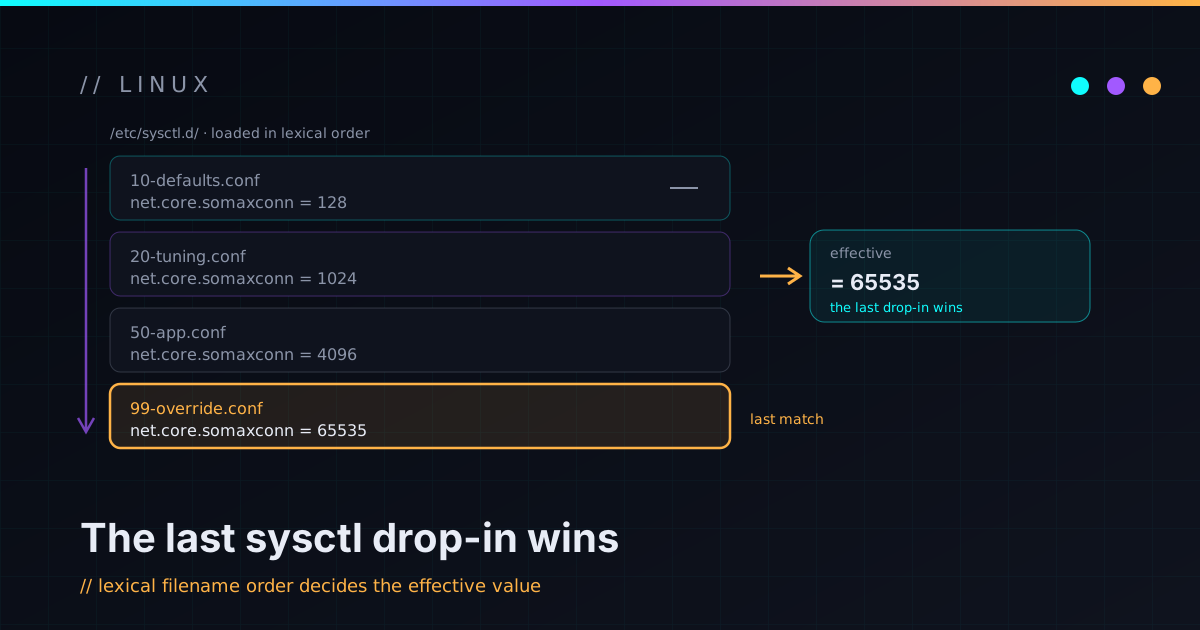
I set a kernel parameter, applied it, and the running value was something I never typed. Not the stock default, not my value — a third number. The tuning wasn’t being ignored; it was being overridden. The culprit was the least glamorous thing in Linux configuration: filename order in a drop-in directory.
The short version, so you can stop reading if it’s already saved you: files in
/etc/sysctl.d/ are applied in lexical filename order, and the last one to
set a key wins. If something else drops a file that sorts after yours, your value
loses — quietly, every boot.
Drop-in directories are ordered, and the order is the filename
systemd-sysctl reads every *.conf in the sysctl directories, sorts them by
filename, and applies them in that order. When two files set the same key, the
later file overwrites the earlier one. There’s no merge, no warning, no “conflict
detected” — just last-write-wins, decided by where the filenames fall in the
sort.
That’s why the convention is to prefix files with a number like 99-. The number
isn’t decoration; it’s you bidding for position in the sort order. The habit
works right up until you assume 99- means “last.” It doesn’t. It means “after
10-.” Plenty can still sort after a 9.
The trap: a package shipped its own file
Here’s how mine broke. I’d written my tuning into 99-mytuning.conf and moved on,
confident the 99- put me at the back of the line. But a package I’d installed
shipped its own drop-in — an unprefixed something.conf — that set one of the
same keys to a different value.
Sort those two filenames and 99-mytuning.conf comes first, because the
character 9 sorts before a letter like c. The package’s file lands last, so
the package’s value is the one the kernel ends up with. My 99- file wasn’t last
at all. It just looked authoritative.
A
99-prefix is a bid for last place, not a guarantee of it. A barename.confoutranks it, because digits sort before letters.
This is a real, reproducible thing, not a hypothetical: the Apache Cassandra
Debian package, for one, installs its own /etc/sysctl.d file that pins a TCP
keepalive value. Set that same key in a 99- file and you’ll swear you
configured it correctly while the package quietly wins.
The fix: sort yourself to the actual end
If you want your values to win regardless of what packages drop in, name your file
so it sorts last. I went with a zz- prefix — zz-mytuning.conf. Letters sort
after digits, and zz sorts after just about any normal filename, so it lands at
the end on both Debian- and RHEL-family systems. While I was at it, I deleted the
old 99- file so it couldn’t come back to haunt me as a second source of truth.
It feels like a hack. It is a hack. But “make the filename sort last” is the
honest expression of what these directories actually do, and pretending the 99-
convention is stronger than it is just gets you overridden again later.
Verify the live value, not the file you wrote
The deeper habit this reinforced: writing a config file is a claim, not a result. The only thing that tells you the kernel agrees is reading the value back from the kernel.
sysctl -n net.ipv4.tcp_keepalive_time   # what's actually live, right now
sysctl --system                         # re-apply all drop-ins in order
Read the live value after applying. If it doesn’t match the file you just wrote,
something downstream of you set it last — go find which file, because the filename
will tell you exactly how you lost. Bonus gotcha from the same afternoon: some
knobs (Transparent Huge Pages, for one) aren’t even sysctl settings, so they
won’t persist from an /etc/sysctl.d file at all and need their own persistence
path. Reading the live value catches that too.
”Last writer wins” is everywhere
Once this bites you, you start seeing the pattern across the whole system. Drop-in directories are a great design — they let packages and admins layer config without editing each other’s files — but almost all of them resolve conflicts by order, and the ordering rule is usually “later filename wins”:
/etc/sysctl.d/— kernel parameters./etc/modprobe.d/— module options.systemdunit drop-ins (*.d/*.conf)./etc/sudoers.d/, and the variousconf.d/directories apps love.
The lesson generalizes cleanly: when a directory layers config, find out how it breaks ties before you trust your file to win, name your file to land where you actually want it in that order, and then read the effective value back to confirm. A setting you “applied” is a rumor until the system reports it back to you.
That’s the whole takeaway — boring, and worth the hour it costs you exactly once. If you’ve got your own filename-ordering war story, I’m easy to reach; if you like this flavor of operational papercut, the homelab messy-parts notes are full of them.