Websites
Website Redesign SEO Checklist: How to Rebuild Without Throwing Away What Works
A practical website redesign SEO checklist for small businesses planning a rebuild, migration, or platform change without losing useful pages, traffic, redirects, metadata, analytics, or trust.
- Website Redesign
- Technical SEO
- Website Migration
- Small Business
- Web Performance
- Consulting
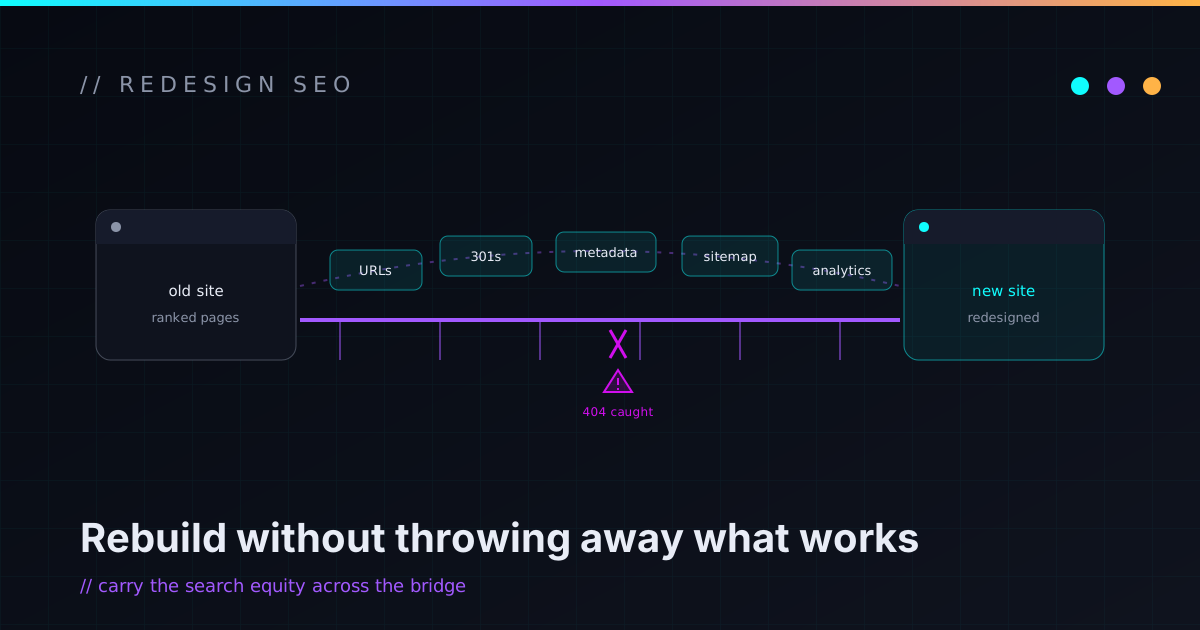
A website redesign can make a business look more modern, load faster, explain its services better, and convert more visitors. It can also quietly delete years of earned search value in a single afternoon.
That second outcome almost never happens on purpose. It happens because the redesign gets treated like a visual project when it’s actually a technical migration. Pages move, URLs change, metadata gets replaced with generic defaults, old posts vanish, redirects get skipped, the contact form breaks, and Search Console starts lighting up. The new site looks better — and the traffic and leads slide down a slope nobody’s watching. The good news: that’s entirely avoidable, and most of the work is a checklist, not a mystery.
A redesign is a migration, not a paint job
A website isn’t only colors, fonts, and sections. It’s a system: URLs, content, metadata, internal links, forms, analytics, scripts, redirects, sitemaps, search signals, and the expectations visitors and search engines have already formed about it. When you redesign, you’re changing that system — so the project has to account for the system, not just the surface.
That doesn’t mean a five-page service site needs enterprise project management. It means the boring parts — inventory, URL mapping, redirects, metadata, analytics, launch validation — don’t get skipped just because the new homepage looks sharp. A small business site can be simple and still deserve a careful migration. The size of the site doesn’t change the order of operations.
A redesign that ignores URLs, redirects, and metadata isn’t a fresh start. It’s a controlled demolition you didn’t plan.
Inventory the current site before you touch it
Before changing anything, write down what already exists. Not from memory — from the actual data. Pull the current URLs, titles, and meta descriptions; the top landing pages from analytics; the pages getting impressions and clicks in Search Console; the blog posts, service pages, downloads, and images worth keeping; and the internal and external links pointing at the site.
You’re building one list that answers three questions for every page: what is this, is it doing any work, and what should happen to it. Use the sitemap, analytics, Search Console, a crawl tool, and a CMS export together — each one sees a slightly different slice of the site. A redesign without this inventory is exactly how important pages disappear without anyone deciding they should.
Find what’s already working
Not every old page is valuable, but some are doing more than they look like they are. Before you rewrite or delete anything, check which pages bring organic traffic, earn impressions, attract backlinks, get linked from other sites, convert visitors, answer real customer questions, or support sales conversations.
Sometimes an ugly old page is quietly one of your best performers. That’s not an argument to keep it ugly — it’s an argument to preserve the thing that made it useful while you improve everything around it. A good redesign isn’t “delete everything and start over.” It’s “keep the value, remove the mess, and make the system stronger.”
Map every old URL to a destination
URL mapping is the single most important migration task. For every existing URL, make an explicit decision:
- Keep it exactly as-is (the safest option for pages that already rank).
- Move it to a new URL — and redirect the old one.
- Merge it into another page — and redirect there.
- Remove it intentionally with a proper 404 or 410.
- Mark it
noindexif it should exist but not rank.
When a page already gets traffic, resist changing its URL just because the new structure feels tidier. Pretty isn’t worth a ranking. When URLs genuinely must change, the redirect is what tells browsers and search engines where the page went — and skipping redirects is the fastest way to bleed traffic after launch.
Redirects also have to be specific. The classic mistake is pointing every old URL at the homepage, which helps no one. An old audit page should redirect to the new audit page; an old post about automation to its closest replacement; a retired service page to whatever absorbed it. Good redirects preserve intent. Map them before launch, test them during launch, watch them after, and avoid redirect chains that hop through three URLs to land somewhere.
Preserve the metadata that’s pulling weight
Titles and descriptions are easy to lose in a rebuild, and losing them makes your search results look worse and get clicked less. Before launch, review the title tags, meta descriptions, canonical URLs, heading structure, Open Graph and social preview metadata, robots directives, any schema markup, and image alt text.
The goal isn’t to copy the old metadata blindly — if it was weak, improve it. The goal is to not downgrade by accident. A redesigned service page should never ship with the title “Services,” and a blog post shouldn’t lose the description it already had. The new site’s metadata should be at least as intentional as the old site’s, ideally better.
Preserve, rewrite, merge, or remove — on purpose
Every content decision should be deliberate, not a side effect of the new design.
- Preserve pages that get useful traffic, hold backlinks, support sales, or explain a service clearly.
- Rewrite pages that target the right topic but are outdated, unclear, weakly structured, or miss the actual search intent.
- Merge thin or overlapping pages that compete for the same topic into one stronger page.
- Remove pages that are inaccurate, describe services you no longer offer, or carry no traffic, links, or business value — with a redirect or a clean 404.
Removing content is completely fine when it’s a decision. Accidentally deleting useful content is the failure mode. The difference between the two is whether you did the inventory first.
Give real services their own pages
Redesigns tend to pile too much onto the homepage and ask it to rank for every service, location, and audience at once. The homepage’s job is to explain the business and route people; it shouldn’t be the only page carrying the SEO weight.
A stronger structure gives each real topic room to breathe: a homepage, a services index, dedicated service pages, an about page, a work or projects page, a blog or resources section, and a clear contact page. If the old site had one generic “services” page, a rebuild is the right moment to split genuine services into focused pages — each able to rank and convert on its own. The caution: build pages for services the business actually delivers, not thin keyword pages chasing searches you can’t serve.
WordPress-to-static is a migration, not a downgrade
Moving from WordPress to a static site can be a great call for the right small business — faster pages, less plugin maintenance, simpler hosting, a smaller security surface. But it’s still a migration with a plan, not a copy-paste. I walk through the platform tradeoffs in detail in static website vs WordPress; the short version is that the rebuild should match the workflow, not the trend.
A CMS-to-static move needs to account for the existing permalink structure, blog posts, categories and tags, media, redirects, metadata, the RSS feed and sitemap, contact forms, any embedded content or page-builder output, internal links, analytics, and 404 handling. WordPress isn’t the villain here and static isn’t automatically the hero. If the site is mostly marketing pages, services, posts, and project pages, static is a clean fit. If the business leans on frequent dashboard editing, complex editorial workflows, WooCommerce, or plugin-driven features, WordPress may still be the right home. Pick the tool the workflow actually needs.
Protect analytics, Search Console, and forms
A redesign can break tracking without anyone noticing for weeks, which is how you end up with a great-looking site and a month of missing data. Before launch, document the analytics property, tag manager setup, conversion events, form and call tracking, any ad pixels, the Search Console property, and consent tooling. After launch, confirm data is actually flowing and conversion events are firing — traffic numbers matter, but leads matter more.
For most small business sites, the contact form is the product. Test it like production infrastructure: submission, required fields, spam protection, the success and error states, the notification email, the reply-to address, the thank-you page, the mobile experience, and the analytics event that records it. A beautiful redesign with a dead form is a very expensive decoration — so test it before launch and again the moment you’re live.
Performance and accessibility should improve, not regress
A rebuild is a chance to make the site faster, and just as easy a chance to make it slower with heavy scripts, video backgrounds, oversized images, and a stack of third-party widgets. Keep an eye on image sizes, JavaScript and CSS weight, font loading, third-party scripts, layout shift, caching, and Core Web Vitals on the pages that matter most — homepage, service pages, and the blog template. A faster site isn’t a vanity metric; it feels more trustworthy and is simply easier to use.
Accessibility is far cheaper to build in than to bolt on later. Heading structure, color contrast, alt text, form and button labels, descriptive link text, keyboard navigation, visible focus states, reduced-motion support, and sensible mobile tap targets all belong in the rebuild, not a future cleanup pass. A redesign should never make the site harder to use, and good accessibility quietly improves usability for everyone.
Pre-launch checklist
Run this before you flip the switch:
- Content & URLs — inventory complete; important pages identified; old URLs mapped to new ones; valuable content preserved or improved; thin/duplicate content merged on purpose; removed pages have a plan.
- Redirects — map complete and pointing at relevant pages (not all to the homepage); redirects tested; no redirect chains.
- Metadata — unique titles; useful descriptions; correct canonicals; clear H1s; logical heading order; Open Graph present; alt text reviewed; important pages indexable.
- Technical — sitemap generated; robots.txt reviewed; no accidental
noindex; working 404 page; internal links updated; broken links fixed; mobile layout tested; performance and accessibility basics checked. - Analytics & forms — analytics installed; Search Console ready; conversion events configured; forms tested end to end; thank-you pages and notification emails working; spam protection on.
- Launch readiness — DNS/hosting plan clear; rollback plan and a backup of the old site in hand; deployment documented; everyone knows what to check after launch.
Post-launch checklist
In the first hours and days after launch, confirm:
- The site loads on the live domain with HTTPS working correctly.
- Important pages return
200; old URLs redirect to the right destinations. - Contact forms work on the live site and conversion events are firing.
- Analytics are receiving traffic; the sitemap is submitted in Search Console.
- robots.txt is correct and nothing important is accidentally
noindexed. - 404s and redirect errors are monitored and fixed as they surface.
- Mobile renders correctly, page speed is acceptable, and social previews look right.
- Internal links work, and the top pages are checked by hand.
Then keep reviewing Search Console over the following weeks. The point is simple: don’t launch and disappear. The first stretch after a redesign is when issues are cheapest to catch.
Monitor after launch
Search visibility can wobble after a redesign, especially when URLs, content, structure, or platform changed — and a wobble isn’t automatically a problem. What you’re watching for is unusual movement on pages that matter: organic clicks and impressions, indexed page counts, crawl errors and 404s, redirect issues, top landing pages, conversion rate, and form submissions.
Read the signals together. If a page that used to earn impressions has gone missing, investigate. If old URLs are throwing 404s, your redirect map has a gap. If traffic holds steady but contact submissions drop, test the form and the CTA path before assuming anything about rankings. Steady monitoring is what turns a scary-sounding migration into an ordinary, manageable one.
What you can do before hiring help — and when to bring it in
You can do a lot of the groundwork yourself, and it makes any rebuild safer: list your current pages and mark which matter most, check analytics for top pages and Search Console for top queries, save a copy of important content, decide which services deserve dedicated pages, test your contact form, and write down both what you dislike about the current site and what’s quietly working.
Bring in technical help once the rebuild involves real migration risk — URL or platform changes, a WordPress-to-static move, large content cleanup, redirect mapping, analytics migration, performance problems, custom code, or existing organic traffic you can’t afford to lose. A solid technical rebuild doesn’t just make the site look better; it preserves the useful parts, fixes the weak ones, and leaves the site easier to maintain than it was before. If you want to see how I approach that kind of work, the projects page has the receipts.
FAQ
Can a website redesign hurt SEO?
Yes. A redesign can hurt SEO when important pages are removed, URLs change without
redirects, metadata is lost, content is rewritten poorly, internal links break,
pages are accidentally noindexed, or the new site performs worse technically.
Each of those is preventable with an inventory and a migration plan.
How do you redesign a website without losing traffic?
Start with a content and URL inventory, identify the valuable pages, preserve or improve useful content, map redirects carefully, keep metadata intentional, test forms and analytics, submit an updated sitemap, and monitor Search Console after launch.
Do I need redirects for a website redesign?
You need redirects whenever URLs change. Each old URL should point to the most relevant new page — not the homepage by default, unless there’s genuinely no better destination.
Should I keep old blog posts during a redesign?
Keep posts that earn traffic, hold backlinks, answer useful questions, support sales, or can be updated into something stronger. Remove or merge posts that are inaccurate, thin, duplicated, or no longer relevant — with redirects where it makes sense.
Is moving from WordPress to a static site bad for SEO?
No. A WordPress-to-static move can be good for SEO when it’s handled carefully — preserving important content, URLs or redirects, metadata, internal links, the sitemap, the RSS feed if needed, and analytics tracking. The risk is in a sloppy migration, not in the platform choice.
How long should you monitor a site after a redesign?
Closely for the first few days, then regularly for the next several weeks. Watch Search Console, analytics, form submissions, redirects, 404s, and your top landing pages until things settle.
Rebuild carefully, not fearfully
A redesign should leave the site faster, clearer, more trustworthy, easier to use, easier to maintain, and better aligned with the business. But the technical details are what decide whether it’s an upgrade or a reset button. Ignore the URLs, metadata, redirects, analytics, forms, and content history and you can throw away value the old site already earned — entirely by accident.
The goal isn’t to be afraid of rebuilding. It’s to rebuild with a plan: keep what works, fix what’s broken, remove what’s dead, improve what matters, and test the boring stuff. That’s the whole difference between a redesign and a regression.
If you’re planning a redesign, a platform migration, a WordPress-to-static rebuild, or a technical cleanup, reach out. I help small businesses and technical founders rebuild websites without throwing away the useful parts — a migration plan, a redirect map, a technical SEO review, or a rebuild strategy — and we can start with the first safe slice.