Infrastructure
Your Monitoring System Is Production Too
When you size a monitoring server, host count is the wrong number to plan around — the real driver is how many values per second you collect, and the system that watches everything else is itself a write-heavy production database you have to capacity-plan.
- Infrastructure
- Monitoring
- Capacity Planning
- Operations
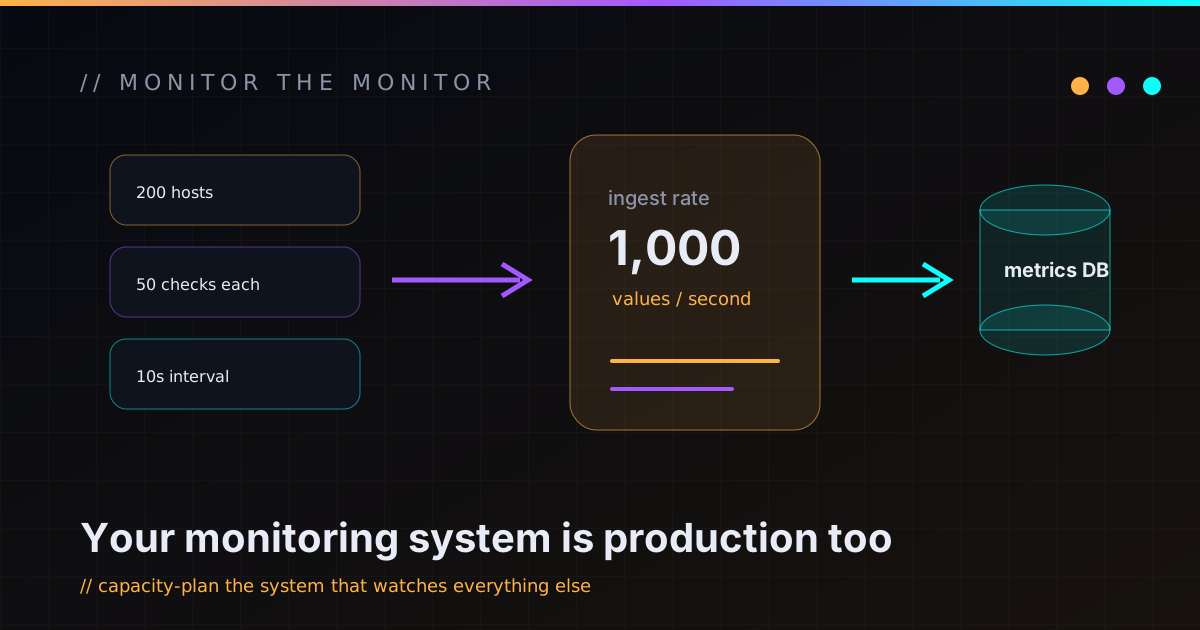
I was asked to size a single server to monitor a fleet of a couple hundred mixed hosts — Linux boxes, databases, network gear. The instinct everyone reaches for first is “how many hosts?” and then they go looking for a tier chart that maps host count to CPU and RAM. That instinct is wrong, or at least it’s measuring the wrong thing. The number that actually decides whether your monitoring server copes is how many distinct values it ingests per second, and the deeper point is that the thing watching your production is a production system in its own right.
Host count is a proxy; values-per-second is the real load
A monitoring server’s job is to collect, store, and evaluate metrics. Its load isn’t “number of machines” — it’s the rate of incoming data points. Two hundred hosts checking ten things each minute is a completely different workload from two hundred hosts checking five hundred things every ten seconds, even though the host count is identical.
So the unit to plan around is values per second: roughly your host count times the items per host, divided by the collection interval. Work that out and you get a real number to size against — and usually a reassuring one. A few hundred hosts at sane intervals lands in the low hundreds of values per second, which is nowhere near the territory where you need exotic architecture. Plan for the metric you actually drive the system with, not the metric that’s easy to count.
“How many servers?” is the question people ask. “How many values per second?” is the question the hardware answers.
It’s a write-heavy database wearing a dashboard
Here’s the reframe that changes how you build it: a monitoring server is mostly a database that takes a relentless, never-ending stream of small writes and has to keep answering queries while it does. The pretty graphs are a thin layer on top of that. Once you see it as a write-heavy time-series database, the right decisions fall out:
- Put the data on fast storage. The constant trickle of writes is the bottleneck long before CPU is. Spinning rust will quietly ruin you here.
- Give the database its own disk. History growth should never be able to fill the root filesystem and take the whole server down with it. Separate the data volume so the failure modes stay separate.
- Use storage that’s built for time-series. Automatic partitioning and compression of historical data turn a disk problem into a non-problem and make the routine cleanup work cheap instead of painful.
None of that is monitoring-specific magic. It’s just what you’d do for any write-heavy database — which is exactly the point. Treat it like one.
Retention is a storage decision, so decide it on purpose
The single biggest driver of how much disk you burn is how long you keep raw data versus aggregates. Raw per-collection values are detailed and expensive; rolled-up hourly or daily trends are cheap and keep for ages. A sane default is to hold raw history for weeks and aggregated trends for a year or more.
The mistake is letting retention be an accident — whatever the defaults happened to be — and then being surprised when the disk fills. Pick the retention you actually need for troubleshooting and reporting, size the data volume to match it with real slack, and write down the math so future-you knows why the number is what it is.
Know your scale-out trigger before you hit it
Capacity planning isn’t just “what do I build today,” it’s “what’s the signal that today’s design is done.” For a single monitoring server the honest answer is: one box is plenty until it isn’t, and the until is a specific, nameable point.
- You cross into a much larger values-per-second band. That’s when a single all-in-one server stops being comfortable and the database wants to move to its own machine.
- You start monitoring across separated sites or network segments. The fix there isn’t a bigger central server — it’s a local collector at each site that buffers data and ships summaries, so a slow or flaky link between sites doesn’t blind you. Scale out to the edges, not up in the middle.
- You add a lot of poll-heavy network checks. Polling devices for metrics is CPU-bound in a different way than receiving agent data; watch the processor and add capacity before it saturates, not after.
The value of naming these triggers in advance is that you don’t over-build on day one and you’re not caught flat-footed on the day growth actually arrives. You just execute the plan you already wrote down.
The uncomfortable truth: nobody watches the watcher
The reason all of this matters more than it seems is the failure mode at the heart of it. If your application falls over, your monitoring tells you. If your monitoring falls over — runs out of disk, saturates, silently stops collecting — nothing tells you, because the thing whose job was to tell you is the thing that’s down. And it tends to fall over exactly when load spikes, which is exactly when you most need to see what’s happening.
So the monitoring server earns the same care as anything else you’d call production: capacity headroom, its own backups, alerting on itself, and a clear idea of when it needs to grow. It’s not a side utility you stand up and forget. It’s the smoke detector for everything else, and a smoke detector with a dead battery is worse than none, because you trusted it.
That’s the whole reframe: size by values per second, build it like the write-heavy database it is, and respect that the watcher needs watching too. It’s the same “operations is part of architecture” thread that runs through the rest of my private cloud and homelab work — a system you can’t observe calmly under load isn’t finished. If you’re sizing your own monitoring stack and want a second opinion on the numbers, I’m easy to reach.