Security
Encrypted-in-Git Secrets: a Useful Hack With a Sharp Edge
Git's clean/smudge filters can keep plaintext in your working tree and ciphertext in history — a genuinely useful trick for shared lab credentials, as long as you're honest that it is not a substitute for a real secrets manager.
- Security
- Git
- Secrets
- Encryption
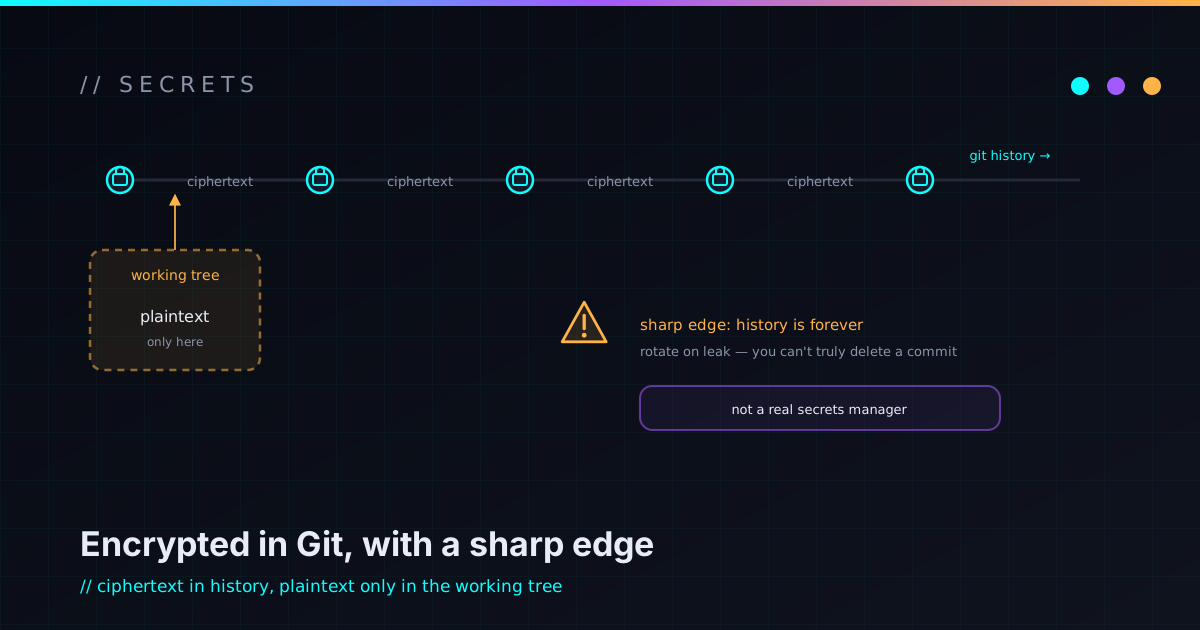
The default-correct answer to “should this secret go in git?” is no. But every so often a repo legitimately needs to carry credential-bearing files — lab configs, test fixtures, throwaway certs — and a team wants them versioned alongside the code that uses them. There’s a middle path for that case: git filters that encrypt on commit and decrypt on checkout, so plaintext lives in your working tree and only ciphertext ever lands in history. It’s a genuinely useful trick. It also has a sharp edge that, if you don’t name it out loud, will cut someone.
How clean/smudge filters work
Git lets you register a filter that rewrites a file’s content as it moves in and out of the object store. Two halves:
- clean runs when you stage a file: it reads plaintext on stdin and writes ciphertext to stdout. The ciphertext is what gets committed.
- smudge runs on checkout: it reads ciphertext and writes plaintext back into your working tree.
Three pieces wire it together: a .gitattributes entry that assigns the filter
to specific paths, per-clone git config that maps the filter name to the actual
commands, and the filter script that does the crypto. Once it’s set up, it’s
invisible — add and commit encrypt, pull and checkout decrypt, and
contributors mostly forget it’s there.
The one setting that saves you: required = true
There’s a flag worth burning into muscle memory: filter.<name>.required true.
Without it, a clone that doesn’t have the filter installed will silently commit
plaintext — quietly defeating the entire scheme and putting cleartext secrets
into history without anyone noticing. With required = true, a missing filter
makes the operation fail loudly instead. Loud failure beats silent betrayal every
time you’re dealing with secrets.
Clean diffs need a deterministic salt
A naive approach hits an annoying wall. Standard symmetric encryption uses a random salt, so the same plaintext encrypts to different ciphertext every time. With git, that means every stage looks like a change even when the content didn’t move — your history fills with noise and diffs become useless.
The fix is a deterministic salt: derive the salt from the content itself (an HMAC of the plaintext under the key) instead of from randomness. Now identical plaintext always produces identical ciphertext, so unchanged files show no diff and changed ones show a real one. Wrap that around a solid cipher (AES-256 with a proper key-derivation function) and keep the password out of the repo — stored only as a hash in a gitignored, locked-down file — and you’ve got something that works smoothly day to day.
The catch, stated plainly
That deterministic salt is not free. It’s a real, deliberate security tradeoff, and it’s the whole reason this post exists.
Because the same plaintext always encrypts to the same ciphertext, an attacker who can guess a candidate value can confirm it: encrypt their guess the same way and compare it to your committed blob. If it matches, they’ve verified the secret without ever breaking the cipher. For low-value, shared lab credentials — where the threat you’re defending against is casual exposure of a repo, not a motivated adversary — that’s an acceptable trade for clean diffs and convenience.
Encrypting a secret is easy. Knowing whether your encryption matches your threat model is the actual work.
It is not an acceptable trade for anything that would genuinely hurt to leak. For high-value secrets, use a tool built for the job — a real secrets manager like Vault, or SOPS backed by a KMS, or sealed-secrets — not a clever git filter.
Fail safe, never corrupt the tree
Encryption tooling that can mangle your working tree is worse than no tooling, so the filters have to be defensive:
- Idempotent. Each filter detects whether its input is already in the target form (the ciphertext carries a recognizable header) and passes through untouched if so, so a double-run can’t double-encrypt or emit garbage.
- Graceful on a fresh clone. Before the password is set up, checkout should leave ciphertext in place with a hint, not fail catastrophically or write rubbish.
- Honest on a wrong key. A failed decrypt should leave the ciphertext and warn loudly rather than silently producing corrupted plaintext.
A fresh clone checks out harmless ciphertext; you add the password, force a re-checkout, and everything flips to plaintext.
The real skill is the judgment, not the crypto
The crypto here is the easy part — it’s a few well-understood primitives wired together. The hard part, and the part worth getting right, is the classification: which bucket is this secret in? Shared, low-value, lab-only material that a team genuinely needs in-repo is a fine fit for this technique. Anything whose leak would actually do damage belongs in a real secrets manager, full stop.
Secret handling is an architecture decision, not a feature you bolt on — which is the same argument I make about security being part of the design, and why I keep even public material like SSH keys deliberately scoped when I provision machines. If you’re weighing how to handle secrets in a shared repo and want a second opinion on which bucket you’re in, reach out.