Automation
Deploy With the Access You Actually Have
When I couldn't get the rights to set a VM's network the official way, cloud-init's guestinfo datasource let each clone self-configure with nothing but edit-settings and power-on — a lesson in routing around a permission you're never going to be granted.
- Automation
- Infrastructure
- Provisioning
- Cloud-Init
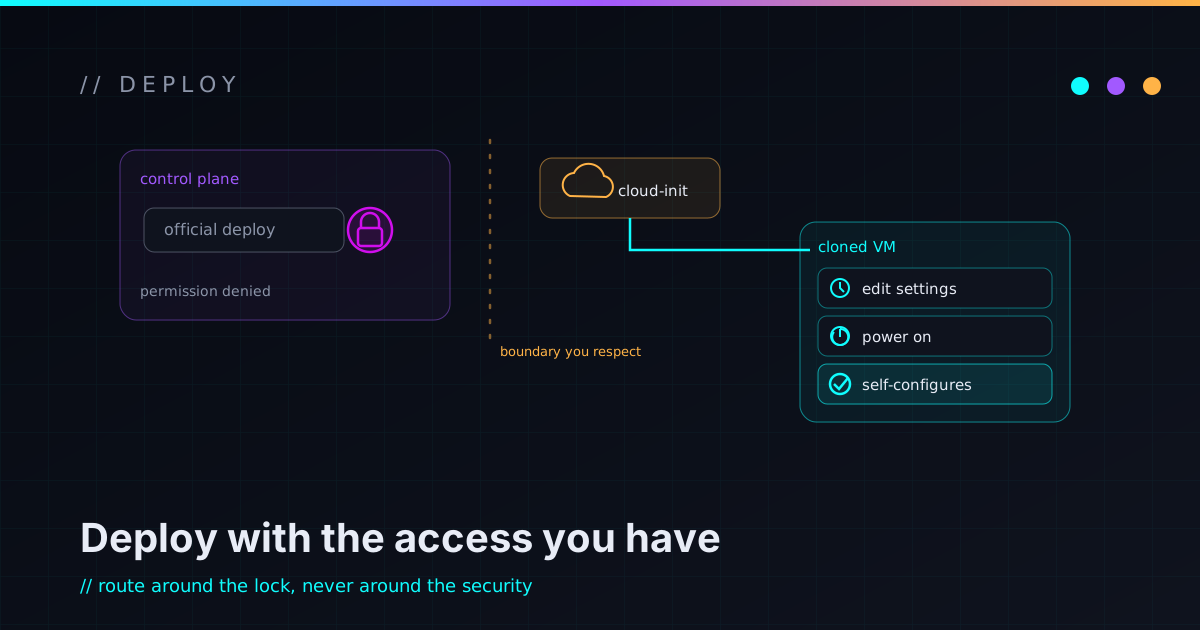
I needed new VMs to come up fully configured — static IP, DNS, hostname, SSH keys, a first-boot script — on a vCenter I didn’t administer. The blessed way to do that needs permissions I didn’t have and wasn’t going to get. So instead of filing a request into the void, I shipped the whole thing using only the access I already had. That move — find the door that needs the keys in your pocket — is the actual lesson here; the VMware specifics are just the example.
The permission wall
vSphere has a built-in feature for exactly this: Guest OS Customization. It writes the network config, hostname, and so on into the guest as it deploys. The problem is that it needs rights on the customization-spec and network layer, and on a vCenter I didn’t administer, those rights weren’t mine to grant. The official path was a closed door, and the key belonged to someone else.
I could have waited on that. I’ve waited on requests like it before; sometimes they land in a week, sometimes they don’t land at all. Waiting wasn’t going to get the lab built.
The other door: let the guest configure itself
cloud-init — which most modern Linux images already ship — can read its
configuration from a VMware datasource called guestinfo. The deploy writes two
payloads (a metadata document for network and identity, a userdata document
for SSH keys and a first-boot script) into the VM’s own advanced settings, as
guestinfo.* keys. At boot, cloud-init inside the guest reads them and configures
the machine from the inside.
The unlock is what that path needs from me: setting advanced settings on a VM and powering it on. That’s it. No customization spec, no network-layer rights, no host access. vCenter is just the courier that carries the payload to the guest; the guest does the actual work. The permissions I was missing turned out to be permissions I didn’t need.
metadata  -> network (static IP, gateway, DNS), hostname
userdata  -> users, SSH public keys, a first-boot runcmd
Base64-encode both payloads before stamping them on — raw multiline YAML in an
advanced-settings field is an escaping disaster waiting to happen — and set the
matching *.encoding keys. One clone, one power-on, a machine that configures
itself with no console login.
Public keys only — guestinfo is readable
One hard rule, because it’s tempting to lean on this for everything: only public
material goes in guestinfo. SSH public keys, fine. Anything secret — private
keys, passwords, long-lived tokens — absolutely not. Those guestinfo.* values
are readable by anyone who can view the VM’s settings, so treat the payload as
public the moment you stamp it. If a first-boot step truly needs a credential, a
short-lived token you can revoke is the least-bad option, and even then you’re
accepting that it was briefly visible.
The catch: silent fallback looks like success
This approach has a failure mode that’ll eat an afternoon if you let it, and it’s worth describing because the shape of it is common. The guest’s cloud-init has to actually trust the VMware datasource, and the network config you hand it has to be something the guest’s version of cloud-init can parse. When either isn’t true, it doesn’t error out and stop. It silently falls back to defaults — the box auto-configures an address off the network (SLAAC, or DHCP) and comes up looking perfectly healthy, just not on the address you asked for.
I lost real time to exactly this. A network block that parsed fine on my machine failed to parse on the guest, because the guest was running a much older parser with a known bug. The result wasn’t an error message; it was a VM that booted, accepted my SSH key, reported “done” — and sat there on an address I never chose, quietly ignoring the network config that had failed to load. The thing that looked up was advertising how broken it was, if I’d known to read it.
A config that fails to parse rarely fails loudly. It falls back to a default, and the default looks like a different bug entirely.
Two takeaways fell out of that. First: when something self-configures, verify it came up the way you specified, not just that it came up. Second: the place a config is generated and the place it’s consumed can disagree — a newer tool will happily emit something an older one chokes on, and the failure only shows up at the destination. Test the parse where it actually runs.
The real lesson: work the constraint, don’t wait on it
Least privilege is usually framed as something you impose — give each component the narrowest access that still does the job. This was the same principle from the other side. I was the one boxed in, and the win wasn’t escalating until someone widened my access; it was finding the interface that only required what I already had. The constraint didn’t move. I routed around it.
That reframing has paid off more than once: when a permission wall is in the way, before you file the ticket, ask whether there’s a path that needs only the access you’ve already got. Often there is, and it’s more robust anyway, because it doesn’t depend on someone else’s grant staying in place. It pairs with the way I think about automation safety and security as architecture — the same instinct that runs through the private cloud work. If you’ve routed around your own permission wall in a clever way, tell me about it.