Websites
Small Business Website Maintenance Checklist: What to Check After Launch
A practical website maintenance checklist for small businesses covering updates, backups, forms, analytics, SEO, performance, security, content, and monthly review tasks.
- Website Maintenance
- Small Business
- Technical SEO
- Website Security
- Website Performance
- Consulting
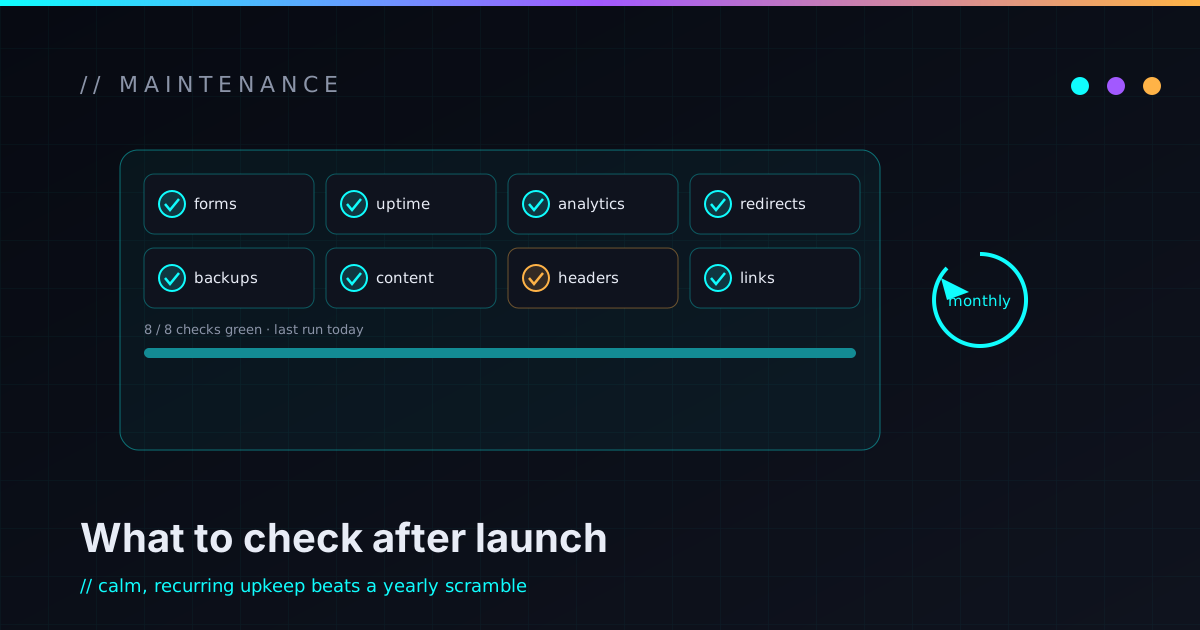
A website launch is not the finish line. It’s the point where the site starts living in the real world — and the real world is rough on websites.
Forms get spammed. Plugins fall behind. Analytics quietly stop tracking. Search Console finds problems nobody is reading. Images get uploaded three times too large. Pages go stale, links rot, an old offer stays published past its end date, the contact email points at someone who left, and one day the form stops sending leads and nobody notices for a month.
That’s how websites decay. Not usually in one dramatic failure — more often a slow slide into slower, less accurate, less secure, and harder to improve. Maintenance is how you catch the boring problems before they become expensive ones.
A small business website doesn’t need constant tinkering. It needs a simple care routine. The goal isn’t a perfect score on some tool’s dashboard; it’s keeping the site fast, secure, accurate, findable, and useful — because it’s a business system, not a poster you hang on the internet and forget.
Maintenance is more than software updates
When people hear “website maintenance,” they usually picture software updates. That’s part of it — especially on WordPress or another CMS — but it’s a small part of a bigger job. A useful routine covers contact forms, analytics, Search Console, speed, security basics, backups, dependency and plugin updates, broken links, SEO metadata, content accuracy, accessibility, mobile usability, domain and DNS health, conversion paths, hosting and deployment, and the documentation that ties it all together.
If the site exists to generate leads, explain services, build trust, or publish content, it needs periodic review. Treat it like the system it is.
Why websites decay after launch
Websites decay because businesses change. Your services, positioning, pricing, examples, and tools all drift. So does your audience, search behavior, the competition, browsers, and the platforms and dependencies underneath the site. Even a simple site goes out of date if nobody owns it.
The common decay points are mundane and add up quietly:
- Old services still listed; new ones missing
- Broken contact forms and dead social links
- Outdated screenshots and stale testimonials
- Slow pages and old tracking code
- Missing conversion events
- Blog posts with no internal links to newer content
- Ignored security updates and abandoned plugins
- Sitemap issues and broken redirects
- Pages indexed that shouldn’t be — and pages dropped that should be
- Contact emails routing to the wrong person
A site can look completely fine while quietly underperforming. That’s exactly why this work is scheduled, not reactive.
Start with the contact path
For most small business sites, the contact path is the most important thing on it — so it’s the thing to test most often. Not “did it work at launch,” but “does it work today.”
- Does the form submit, and does the notification email actually arrive?
- Does the thank-you page work, and does the error state make sense?
- Does spam protection hold, and is there a fallback email address?
- Is it usable on mobile, with reasonable required fields?
- Does it route to the right person, and are submissions tracked in analytics?
A broken contact form isn’t a minor bug. It’s a silent lead leak — the site looks busy in analytics while the actual business inquiries quietly vanish. Test it like it matters, because it does.
Don’t trust analytics you haven’t checked
Analytics are only useful if they’re installed correctly and still tracking what matters. A maintenance pass should confirm the script still loads, Search Console is connected, important events (especially contact-form conversions) fire, traffic isn’t double-counted, and internal traffic is filtered or at least understood.
The point isn’t to hoard data — it’s to know whether the site is being found, used, and acted on. At minimum you want to see which pages bring traffic, which lead to contact, which are slow or throwing errors, and which search queries are earning impressions. If you can’t trust the numbers, you can’t trust any decision you make from them.
Read Search Console on purpose
Google Search Console is one of the most useful free tools in this whole list. It shows which queries you appear for, which pages are indexed, crawl and sitemap issues, mobile usability problems, and any security warnings or manual actions.
For a small business it’s especially good at surfacing early signals. A page often collects impressions before it earns clicks — which tells you the topic has potential but the title, description, or content needs work. Maintenance isn’t only fixing errors; it’s noticing opportunities while they’re still cheap to act on.
Keep the site fast
Performance degrades over time even when a site launched quick. The usual culprits are large images, new scripts, chat widgets, extra analytics tags, embedded videos, third-party fonts, plugin bloat, and unused JavaScript piling up release after release.
A performance check should look at the homepage, your key service pages, and the blog template — image sizes, JavaScript payload, third-party scripts, Core Web Vitals, layout shifts, and font loading, with real attention to mobile. The goal isn’t a flawless score at the expense of the business; it’s keeping the site feeling fast for real visitors. If the site is mostly informational, there’s rarely a good reason for it to be heavy.
Maintain the security basics
Security maintenance depends on the stack. A static Astro site has a different profile than a WordPress site, which differs again from a Shopify store or a custom app with a login. But every business website should care about the same fundamentals: HTTPS, registrar and DNS security, hosting and admin accounts, MFA, secure form handling and spam protection, dependency and plugin updates, backups, security headers, the third-party scripts you’ve loaded, and access offboarding.
The goal is not perfect security — that isn’t a real thing. It’s reducing avoidable risk and limiting the blast radius when something does go wrong, which is the same instinct behind treating security as architecture, not decoration. If a contractor had hosting access two years ago, remove it. If your WordPress admin has no MFA, fix it. If your registrar account still uses an old shared password, fix that today. For the account side of this, the small business cybersecurity checklist goes deeper than I will here. The boring things are the ones that bite.
Backups you have actually restored
A backup plan isn’t complete until you know how to restore from it. Depending on the stack, backups may need to cover website files, the CMS database, uploaded media, form submissions, theme or custom code, plugin configuration, DNS records, environment variables, and deployment configuration.
Static sites have a real advantage here: the source is usually version-controlled, so a bad change is often just a rollback to a previous deployment. WordPress and other database-backed sites need more explicit backup handling, because content and configuration live in a database that the file system doesn’t capture.
Either way, test the recovery path. A backup nobody has restored is just a comforting idea — you find out whether it works at the worst possible moment otherwise.
Static site maintenance vs WordPress maintenance
Both need maintenance; the work just looks different, and knowing which profile you’re in tells you where to spend attention.
A static site (like this one) usually needs dependency updates, a build that’s validated before it ships, link checks, content and metadata updates, form testing, analytics review, deployment checks, and security review of hosting, DNS, the repo, and any deploy tokens — plus periodic performance checks.
A WordPress site usually needs core, plugin, and theme updates, database backups, malware scanning, admin account review, spam protection, plugin-conflict and PHP-compatibility testing, caching and performance review, login protection, and more frequent security monitoring.
WordPress isn’t bad — it just has a larger moving-parts surface. If your site depends on plugins, themes, and a database, someone needs to own that surface. If it’s static, the surface is smaller but it still exists. No website is “set and forget” forever.
Check broken links and redirects
Links break. External pages disappear, internal URLs change, posts move, services get renamed, PDFs get deleted, and old campaign links keep circulating. Broken links chip away at trust and can create SEO problems.
A check should sweep internal and external links, old redirects and redirect chains, 404s, missing images and broken downloads, social and navigation links, and sitemap entries. This matters most around a rebuild or migration: a redesign that quietly breaks old URLs can throw away hard-won search visibility and frustrate returning visitors. Redirects are not an afterthought — they’re how you carry value across a change.
Refresh content before it goes stale
Content maintenance isn’t only publishing new posts; it’s keeping existing pages accurate. Walk the homepage messaging, service descriptions, project examples, contact details, any published pricing, bios, service area, screenshots, testimonials, FAQs, and the calls to action — and look for blog posts with outdated recommendations or no internal links to newer related content.
Old content can still be valuable; it just shouldn’t mislead. A post from last year might only need a short update, a fresh internal link, and a clearer CTA. A service page might need new examples or stronger positioning. Small updates compound — that’s the whole reason this site treats documentation as infrastructure rather than a one-time chore.
Review SEO metadata
Metadata is easy to ignore after launch, which is why it leaks value so reliably.
Check important pages for unique title tags, useful (non-duplicated) meta descriptions,
correct canonical URLs, one clear H1, a logical heading structure, Open Graph tags,
image alt text, clean URL slugs, internal links, sitemap inclusion, and no accidental
noindex.
A page title shouldn’t just say “Services.” A meta description shouldn’t be copy-pasted across the whole site. A service page should say plainly what the service is and who it’s for. None of this guarantees rankings — but neglecting it absolutely holds a site back.
Review the conversion paths
Traffic isn’t the point. For most small business sites, the job is to lead a visitor somewhere useful: a contact form, a call, an email, a booking or quote request, a download, or the right service page. Maintenance should confirm the next step is still obvious.
- Does every important page have a specific CTA — not three competing ones?
- Does the contact page work, including the mobile CTA?
- Are service pages linked from relevant blog posts, and posts linked back to services?
- Is the navigation still logical, and is anything pointing at outdated pages?
A good site doesn’t make an interested visitor hunt for the next step.
Don’t skip accessibility and mobile
Accessibility and mobile usability aren’t launch-only concerns — small updates can quietly reintroduce problems. Check color contrast, heading order, button and link text, form labels, keyboard navigation and focus states, image alt text, mobile font size and tap targets, layout shifts, sticky headers, popups, and motion effects.
Accessibility isn’t just compliance; it’s usability. A site that’s easier to use is a site that’s easier to trust.
Guard the domain, DNS, and account ownership
Some of the biggest website risks live outside the website. Know who owns the registrar account and whether it has MFA and a correct recovery email; who has DNS, hosting, repo, analytics, Search Console, and form-provider access; whether old vendors or contractors have been removed; whether renewal dates are known and auto-renew is set where it should be; and whether DNS records are documented anywhere.
Losing access to a domain or DNS provider is a business emergency, not a tech ticket. Treat domain ownership like the critical asset it is. This is the same access-hygiene pass as an infrastructure sanity check — just pointed at the website.
Monthly website maintenance checklist
Run this once a month. It shouldn’t take long — the point is catching silent failures.
- Submit the contact form and confirm delivery.
- Check analytics for traffic, top pages, and conversions.
- Review Search Console for indexing issues.
- Check for broken links on important pages.
- Review uptime or hosting alerts.
- Open the homepage and key service pages on mobile.
- Check page speed for the homepage and top landing pages.
- Confirm backups or deployment rollbacks are working.
- Skim spam submissions.
- Fix any obvious content inaccuracies.
- Apply urgent plugin, dependency, or security patches.
- Confirm important CTAs still point to the right place.
Quarterly website maintenance checklist
Run this every three months — this is where you move from “is it broken?” to “is it improving?”
- Review all service pages for accuracy.
- Refresh outdated posts that still earn impressions.
- Add internal links from older content to newer related pages.
- Review SEO titles and meta descriptions for key pages.
- Re-check the conversion paths.
- Audit user and admin access; remove unused accounts and old vendors.
- Test a backup restoration or deployment rollback.
- Review performance and accessibility trends.
- Confirm DNS, domain, hosting, and analytics access.
- Decide whether any new service pages are worth creating.
- Glance at the search and competitor landscape.
Annual website maintenance checklist
Run this once a year — businesses drift, and the site should reflect what the business actually does now.
- Revisit the site strategy and homepage positioning.
- Audit all top-level pages and published services.
- Remove or update outdated content.
- Review hosting and platform fit.
- Review security posture and analytics setup.
- Review Search Console growth and recurring issues.
- Check brand, social, and profile links.
- Review privacy policy and legal pages if applicable.
- Confirm domain renewal and account ownership.
- Consider a deeper technical audit, then decide what to build, remove, or improve next.
What you can do yourself
A lot of this needs no deep technical skill. You can test the contact form, read your homepage and service pages like a customer would, check the site on your phone, fix obvious broken links, update stale service descriptions, skim your top analytics pages and Search Console messages, remove old team or vendor access you know about, confirm contact details are correct, and make sure the domain is set to auto-renew. These simple checks catch a surprising amount.
When to bring in technical help
Bring in help when maintenance touches areas where a mistake is risky or hard to diagnose:
- The site is slow and you don’t know why.
- Search Console shows indexing problems.
- Analytics are installed but not trustworthy.
- The contact form is unreliable.
- WordPress updates keep breaking things.
- You need a staging environment, or redirects handled correctly during a migration.
- You need technical SEO cleanup or a dependency-update review.
- You want a repeatable static-site maintenance workflow.
- You need a security review of hosting, DNS, forms, and admin access.
- Nobody actually knows how the site is deployed.
A good maintenance partner shouldn’t just “keep the plugins updated.” They should keep the site useful, fast, secure, measurable, and aligned with the business — the same standard behind the work I take on, whether that’s an existing site or a new static build.
FAQ
What is small business website maintenance?
The ongoing work of keeping a website fast, secure, accurate, findable, and useful. It covers forms, analytics, SEO, performance, security, backups, broken links, content, accessibility, and hosting or deployment health — checked on a schedule instead of only when something breaks.
How often should a small business website be maintained?
Basic checks monthly. Deeper reviews of service pages, SEO, performance, access, and content quarterly. A full strategy-and-technical review yearly — or before a redesign, migration, or major campaign.
What should be included in a website care plan?
Typically software updates, backups, form testing, uptime monitoring, security checks, analytics and Search Console review, broken-link checks, performance review, content updates, SEO metadata cleanup, and technical support. The right mix depends on the stack and how much the business leans on the site.
Do static websites need maintenance?
Yes — just less runtime maintenance than a CMS. A static site still needs dependency updates, content updates, form testing, analytics review, link checks, SEO improvements, hosting-access review, and performance monitoring.
Does WordPress need monthly maintenance?
Usually, yes. WordPress needs regular core, plugin, and theme updates plus backups, security monitoring, spam protection, performance checks, and admin-access review. The more plugins a site runs, the more maintenance matters.
Can website maintenance improve SEO?
It supports SEO by keeping pages fast, crawlable, accurate, internally linked, and technically clean, and by catching indexing issues and content decay early. It doesn’t guarantee rankings — but neglecting it will hold a site back.
Keep the site alive after launch
A website isn’t a poster you hang up and forget. It’s a living business system: it has to keep loading quickly, keep sending leads, keep telling the truth, stay secure, stay measurable, and stay easy to improve. Maintenance isn’t glamorous, but it’s what keeps all of that true after the launch buzz fades.
If your site hasn’t been checked in months, start simple: test the form, check it on mobile, review analytics and Search Console, update the stalest content, and make sure the domain is safe. Fix the boring things first — that’s usually where the real problems are hiding.
If your website launched and then slowly got harder to trust, that’s a normal, fixable place to be. I help small businesses and technical founders keep sites fast, secure, measurable, and maintainable after launch. If you want a practical maintenance review or a lightweight care plan, reach out and we’ll figure out the first useful slice together.