Engineering Practice
When in Doubt, Suspect the Cache
A huge share of "but it works on my machine" and "I already changed that" confusion is a stale cache lying to you — so when reality and your expectation disagree, clear the cache and check the authoritative source before you debug anything else.
- Engineering Practice
- Debugging
- DNS
- Networking
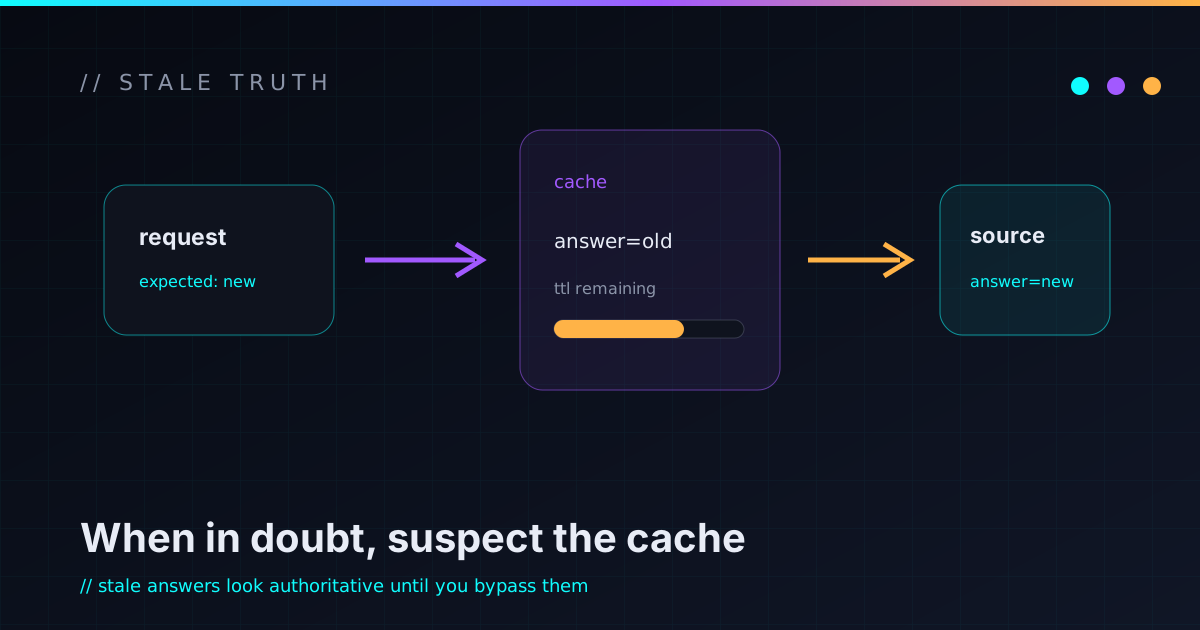
There’s a category of bug that wastes more of my time than its difficulty deserves, and it’s almost always the same culprit wearing a new costume: a cache is serving me a stale answer while I debug the wrong thing entirely. The fix is usually trivial once you suspect it. The trick is suspecting it early, because a stale cache doesn’t look like a cache problem — it looks like your change didn’t work, or the service is down, or you’re losing your mind.
A cache is a promise that the past is still true
Every cache exists to avoid repeating expensive work: a DNS lookup, a database query, a compiled build artifact, a rendered page. To do that, it answers from a remembered result instead of recomputing. That’s a bet that the world hasn’t changed since it last looked. When the world has changed — you cut a DNS record over, you fixed the file, you updated the dependency — the cache keeps confidently serving the old truth until something invalidates it.
A cache is a snapshot of “what was true,” presented as “what is true.” Most of the confusion lives in that gap.
That’s the whole failure mode. The cache isn’t broken; it’s doing exactly its job. It’s just that its job and your expectation have briefly diverged, and nothing announces the divergence.
The tell: behavior contradicts a change you know you made
The signature is specific, and learning to recognize it is most of the battle. You made a change you’re certain about — repointed a hostname, edited the config, bumped the version — and the system behaves as if you didn’t. Your first instinct is to doubt the change: re-edit the file, re-check the record, redeploy. That’s the trap. The change was probably fine. Something between you and the result is remembering the old answer.
So before re-doing the change a third time, switch hypotheses: is something caching this? Name the layers that could be holding the stale value — there are usually more than you think:
- DNS resolver caches on your machine and every resolver between you and authoritative, each with its own TTL.
- ARP / neighbor caches holding an old MAC for an IP after hardware moved.
- Build and dependency caches serving a stale compiled artifact or an old package version.
- HTTP / CDN / browser caches returning yesterday’s response or asset.
- Application-level caches memoizing a value that the underlying data already changed.
Clear it, then check the source of truth
Two moves break the spell. First, clear the relevant cache. Second — and this is the part people skip — verify against the authoritative source, bypassing the cache entirely, so you’re comparing reality to your expectation instead of comparing two cached guesses.
DNS on macOS is my standard example because it bites constantly and the fix is a neat two-parter. Flushing the resolver cache alone often isn’t enough; you also have to nudge the daemon that actually does resolution:
sudo dscacheutil -flushcache; sudo killall -HUP mDNSResponderThe two halves matter — flushing the cache without bouncing the resolver daemon
frequently does nothing, which is its own little time-sink if you only do half.
And note the ; instead of &&: you want the second command to run even if the
first returns non-zero.
Then verify against authoritative, not against the same cache you just cleared:
dig the-name @1.1.1.1 +short # ask a resolver directly, skip the local cacheAsking a resolver directly tells you what the record really is right now, independent of whatever your laptop remembered. That’s the move that converts “DNS is being weird” into “oh, my machine had the old address and authoritative is correct — it’s already fixed.”
Stale caches and confident wrongness are cousins
The deeper reason this is worth a whole post: a stale cache is a very convincing liar. It returns a real, well-formed, plausible answer instantly — it just happens to be yesterday’s. That’s far more disorienting than an error, because an error makes you suspicious and a confident answer makes you trust it. It’s the same species of problem as a silent fallback that boots onto the wrong config: the system looks like it’s working, which is exactly why you debug everything except the real cause.
So I’ve trained a reflex. When a change I’m sure about doesn’t take, I no longer re-make the change first. I ask “what’s between me and the result that could be remembering the old value?” — and I go clear that and check the source directly. Nine times out of ten the change was right all along; a cache was just standing between me and the proof.
A short, boring checklist that saves hours
When behavior and expectation disagree and you’ve ruled out the obvious:
- Name the caches in the path. Resolver, OS, proxy/CDN, build, app. You can’t clear what you haven’t listed.
- Clear the one most likely to be stale, and remember some need a daemon bounce, not just a flush.
- Verify against authoritative, bypassing the cache — query the real resolver, hit the origin not the edge, rebuild clean.
- Mind the TTL. If it’s cached upstream of you, sometimes the honest answer is “wait for it to expire,” and knowing that beats thrashing.
It’s not glamorous, and that’s the point — it’s a reflex that costs five minutes and routinely saves an afternoon. If you’ve got your own favorite cache that fooled you for way too long, I’d enjoy hearing about it; the homelab messy-parts notes are full of this flavor of small, humbling lesson.