Gaming / Community
ConceptCommunity Bots
Discord automation, game-community tooling, and chaotic weekend builds that make communities more fun.
- Discord
- Community
- Gaming
- Automation
- Bots
- Events
- Playful UX
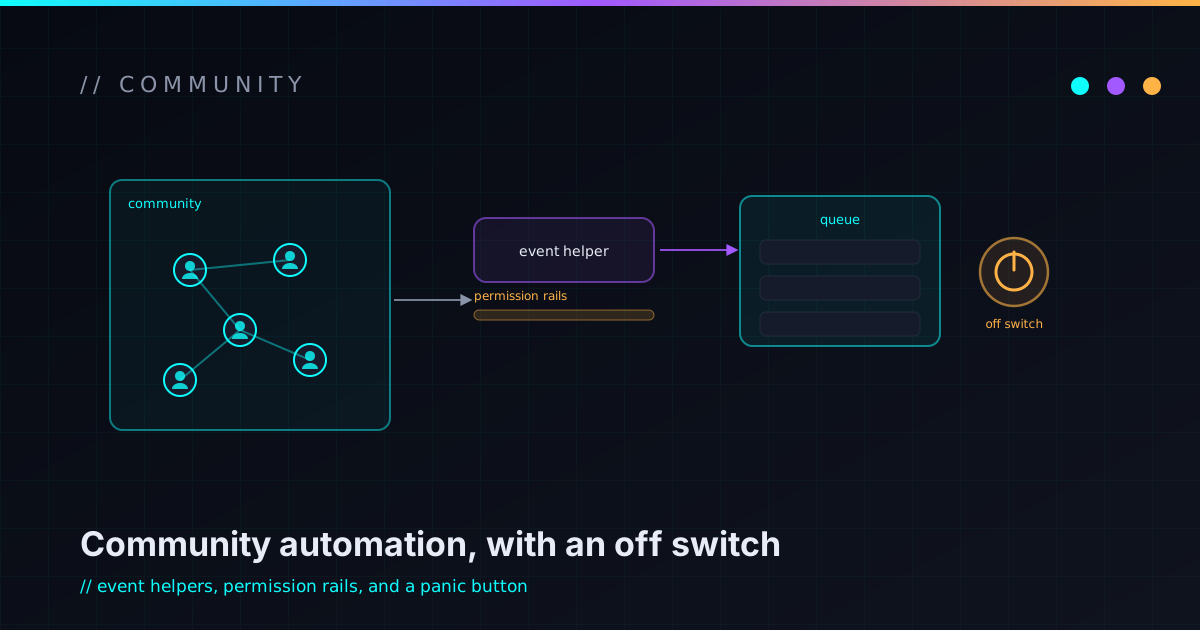
What this proves
Proves playful communities still need reliable, well-scoped automation — permissions, predictability, and an obvious off switch are product design, not afterthoughts.
Overview
Community Bots is the part of my work where gaming, Discord, automation, and playful UX collide. The goal isn’t to build a bot for the sake of having a bot — it’s to make community spaces easier to run, easier to join, and more fun to come back to.
It’s experimental: a design space and a pile of weekend builds, not a shipped public bot platform. But “for fun” doesn’t mean “without discipline.” It draws on the same engineering instincts as my other projects, just aimed at the very human problem of keeping a community alive.
Why community tooling matters
Communities run on small, repeated workflows, and those add up fast:
- Reminders, roles, events, queues, and follow-ups quietly become admin toil.
- Good tooling lowers the friction of participating, not just of managing.
- Automation should support the humans, not replace the people who make a space worth being in.
- A little playfulness makes a community feel alive rather than transactional.
The bar is simple: good community tooling should feel like less work, not more software to babysit.
The problem space
The recurring shapes of work here — described as a space, not a shipped feature set:
- Event coordination and game-night planning.
- Role and interest organization.
- Stream and community notifications.
- Lightweight support workflows.
- Moderation/support assistance at a high level (helping humans, not replacing their judgment).
- Keeping bot behavior predictable — surprises erode trust quickly.
Bot and workflow ideas
Concepts and design areas I want to explore — framed as ideas, not a list of working production commands:
- Event signup helpers and simple queues.
- Role / interest prompts so people self-organize.
- Game-night reminders and lightweight announcement flows.
- Stream and tooling hooks.
- Fun responses and small community rituals.
- Admin-friendly controls so operators stay in charge.
The interesting design question is rarely “can a bot do this?” — it’s “should it, and how does it stay understandable?”
Event and game-night support
Where this connects to actually playing. The friction I want to remove is the gap between “who’s in?” and “we’re ready”:
- Overwatch stacks and competitive nights.
- OSRS sessions and long-haul community grinds.
- VRChat / social-world hangouts.
- Racing and arcade party nights.
- Signups, reminders, and a clean participation flow.
These mirror the games and events I actually care about — the tooling exists to serve the night, not the other way around.
Safety and operator control
This is the part that keeps community automation trustworthy, and it’s non-negotiable:
- Bots need permission boundaries — least privilege applies to bots too.
- Admins need clear controls and an obvious off switch.
- Automation should never surprise users.
- Logs and auditability matter when something goes sideways.
- Rate limits and abuse resistance are design concerns from the start.
- Secrets and tokens never live in docs or repos — full stop.
- Moderation tooling should assist humans, not pretend to solve community trust on its own.
No anti-abuse guarantees here — just responsible defaults and humans kept in the loop. This is the same secrets-stay-out, boundaries-first discipline behind my automation workflows.
Playful UX
Communities are human spaces, so personality is a feature — used with restraint:
- Small moments of delight beat a wall of commands.
- Game- and community-native language, with a little Pakkit flavor.
- Opt-in interactions — nobody likes a bot that won’t stop talking.
- Fun should never break trust or get in the way of people who just want to hang out.
The same instinct shapes the creative tech experiments: personality that supports the experience instead of hijacking it.
What I learned
- Community software is social software — the people are the system.
- The tiny workflows matter more than the flashy features.
- Permissions are product design, not an afterthought.
- Fun automation needs restraint to stay fun.
- A bot should be easy to explain — if you can’t, it’s probably too clever.
- The best community tooling feels like less work, not more software.
What’s next
Honest, aspirational next steps:
- A small, public-safe command/spec library.
- Bot architecture notes that don’t leak private details.
- Reusable event templates and game-night scheduling flows.
- Clearer admin controls.
- Stream / community overlay ideas.
- A safer, repeatable bot deployment pattern.
- Docs for operating community automations.
Got a community that could run smoother — or a chaotic-good idea for a game night? Let’s build something.
Related writing
Community Bots lives in the same space as a lot of my favorite projects: a goofy idea that becomes useful once it has constraints. Building Weird Ideas Into Real Systems covers that pattern, and AI-Assisted Development Without Losing the Architecture explains how I keep agent-built workflows from turning into chaos.
Where to next
Keep exploring
A few good next steps from here — a related build, some background reading, or a way to take it further together.