Software Consulting
Internal Tools for Small Business: When Spreadsheets and SaaS Stop Being Enough
A practical guide to internal tools for small businesses: when spreadsheets stop working, when SaaS gets messy, and how custom dashboards, workflows, and lightweight software can improve operations.
- Internal Tools
- Small Business
- Custom Software
- Workflow Automation
- Dashboards
- Operations
- Consulting
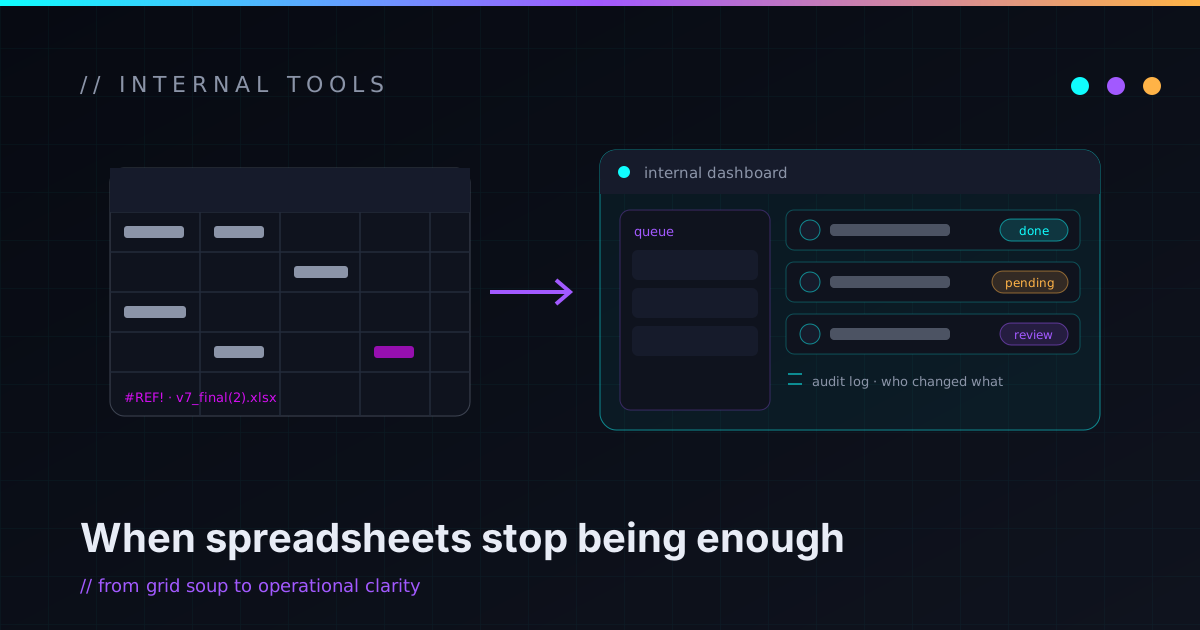
Spreadsheets are amazing. They’re flexible, fast, cheap, familiar, and powerful enough to run more of the world than anyone wants to admit. A spreadsheet is usually the first version of an internal tool, and that’s a good thing — it’s the fastest way to test a workflow before turning it into software.
The trouble starts when the spreadsheet quietly becomes production infrastructure. One person understands it. Rows get copied wrong. Formulas break. People overwrite each other’s work. Reports take forever. There’s no audit trail, the customer data lives in five places, and everyone is a little afraid to touch the “important” tab.
That’s usually the moment a small business should start thinking about internal tools — not because custom software is automatically better, but because some workflows eventually need structure, permissions, validation, and visibility. That’s what internal tools are for.
What internal tools actually are
Internal tools are software built for the people inside a business. They’re not the marketing site and they’re not always a customer-facing product. They’re the operational layer that helps the business run — a dashboard, an admin panel, a customer intake system, a quote generator, a reporting tool, an approval workflow, a scheduling helper, a data cleanup utility, a lightweight CRM, a vendor tracker, a billing review queue, or a status portal.
The best internal tools are boring in a good way. They take a process that already happens manually and make it easier to see, validate, repeat, and trust. The goal isn’t to build a giant platform — it’s to make the business less dependent on scattered manual work.
When a spreadsheet is still the right answer
A spreadsheet is not automatically a problem. It’s often exactly the right tool when the workflow is still changing, the process is small, the data is simple, only one or two people touch it, mistakes are easy to spot, and you’re still testing whether the idea even works. If the information doesn’t need strict permissions and automation would be overkill, a spreadsheet wins on cost and speed.
In a lot of cases the right first step is to improve the spreadsheet, not replace it: clean up the columns, kill the duplicate tabs, add validation, protect the formulas, and use a form for data entry instead of letting people type directly into cells. Don’t build custom software just because a spreadsheet exists — build it when the spreadsheet has become too important, too fragile, or too painful to keep pretending it’s just a spreadsheet.
Signs your spreadsheet has become operational risk
The problem was never that spreadsheets are weak. It’s that they get asked to do jobs they were never meant to own permanently. A spreadsheet may be ready to graduate into a real tool when:
- Multiple people edit the same data and create conflicts.
- Important formulas break, and nobody’s sure which version is current.
- Data is copied by hand from other systems every week.
- Reports require repeated manual cleanup.
- It holds sensitive customer or financial data with no record of who changed what.
- It controls a customer-facing or daily-operations workflow.
- It has grown into dozens of tabs only one person understands.
- People are scared to change it.
- It needs permissions a spreadsheet can’t enforce cleanly.
- Mistakes are starting to get expensive.
If only one person understands the spreadsheet that runs your business, you don’t have a spreadsheet. You have a single point of failure with a login.
When SaaS is enough — and when it turns into duct tape
Before building anything, check whether an existing tool already solves the problem well. SaaS is the right answer when the workflow is common, the tool handles most of the requirements at a reasonable cost, the vendor handles security and maintenance, and the process isn’t a competitive advantage. Most small businesses should not build their own accounting system, email platform, password manager, or file storage. Use mature tools for mature problems.
SaaS gets messy when every tool solves only part of the workflow — one system has the customer record, another has billing, another has support history, another has the form submissions — and nobody’s sure which one is the source of truth. That’s when the business quietly starts using people as the integration layer: someone exports a CSV, cleans it up, pastes it somewhere else, and checks three systems before replying to a customer. That manual glue is expensive even when nobody’s tracking the cost.
An internal tool helps here by creating a focused operational layer over the tools you already pay for — pulling the right data together, showing the current state, validating inputs, triggering the next step, and logging the actions that matter. The goal isn’t to replace SaaS; it’s to make the tools work together around the actual workflow. (That build-versus-buy call is its own question — I dug into it in custom software vs SaaS for small business.)
The internal tools small businesses actually use
Internal tools should be shaped around real operational problems, not built speculatively. A few that earn their keep:
- Operations dashboard. One place to see what matters — new leads, pending approvals, overdue tasks, customer statuses, failed automations. Worth building when people have to check several systems just to understand what’s happening. A good dashboard doesn’t show everything; it shows what helps people decide.
- Customer intake tool. Turns messy emails and inconsistent forms into structured data — contact details, service type, files, timeline, pain points — and drops the result into a task, CRM record, or review queue, cutting the back-and-forth.
- Quote or estimate generator. Standardizes the repeatable parts of pricing — service options, rules, discounts, approval thresholds, a clean summary, an audit history. The point isn’t to remove judgment; it’s to stop reformatting the same proposal by hand.
- Approval workflow. For any action that needs review before it happens — discounts, refunds, vendor payments, account changes, AI-generated replies. A good one shows what’s being approved, who asked, and why it matters. This is the bridge that lets you automate without giving up human control.
- Reporting tool. If the same report is assembled by hand every week, it deserves a tool that pulls from the right sources, cleans the data, and produces a repeatable output. Repeatability is the whole value.
- Data cleanup utility and lightweight portal. A small tool to dedupe and validate messy records, or a portal where customers submit a request, upload files, and check status. Customer-facing tools carry more responsibility than internal-only ones, so scope them carefully and start small.
Start with one workflow, not a platform
The fastest way to make an internal tool project expensive is to start with “we need a platform.” You probably don’t. Start with one workflow that has a clear trigger, clear users, clear data, clear output, and clear value: a new lead that needs triage, an invoice that needs review, a request that needs intake and status tracking, a weekly report that needs generating, a quote that needs approval before it goes out.
Build the smallest useful version. It can be ugly, internal-only, and keep some manual steps. Its only job is to prove the workflow is worth systematizing — then you improve it one slice at a time. That slice-first instinct is the same one I bring to the work I take on: it keeps a project from ballooning before it’s earned the right to grow.
What separates a good internal tool from another mystery system
A useful internal tool needs more than a form and a table behind it. Before building, answer a few unglamorous questions: Who can use it? What data does it store, and what does it pull from other systems? Which actions need approval? What gets logged, and what’s the manual fallback on errors? How are secrets stored, how is it deployed and backed up, and — the one people skip — who maintains it after launch and how does the data get exported if you outgrow it?
These questions are what keep the tool from becoming another system nobody understands. Internal tools are supposed to reduce chaos, not recreate it with a login screen.
Security, permissions, and audit logs aren’t optional
Internal tools often touch the sensitive stuff — customer details, financials, internal notes, vendor data, API keys, documents. At minimum, design for authentication, role-based access, least privilege, audit logs, secure secrets, sensible data retention, backups, and a clean separation between test and production data. Not every tool needs enterprise-grade complexity, but every tool should be designed with its blast radius in mind.
The practical version is a few honest questions: if a user account is compromised, what can it do? If a bug hits, what data can it change? If the tool goes down, how does the business keep running? Security here isn’t a bolt-on feature — it’s just careful system design, the same posture I argue for in security is architecture, not decoration.
AI inside internal tools, with a leash
AI can be genuinely useful inside an internal tool, as long as it’s given a specific job rather than the keys. Good uses: summarizing requests, classifying leads, extracting fields from documents, drafting replies, grouping support tickets. Riskier ones: sending customer messages without review, changing financial records, approving refunds, or any irreversible action on sensitive data.
The safe first version is almost always human-in-the-loop — let AI prepare the work and let a person approve anything that matters. That’s leverage without handing the wheel to a mystery robot, the same design I use in the AI Automation Lab and wrote up in AI automation for small business.
Improve, buy, or build — and how to decide
Before building, compare three options honestly: improve the current process, configure existing SaaS, or build a custom internal tool. Improving wins when the workflow is small; SaaS wins when it’s common and the tool fits; custom earns its cost when the workflow is specific, repeated, important, and poorly served by what’s out there. The clarifying questions are how often it happens, how expensive mistakes are, how much data gets copied by hand, what actually needs to be custom, and who maintains it after launch.
Don’t build because custom software sounds cool. Build because the workflow deserves a better operating system than copy-paste.
A decision checklist you can actually use
You may want an internal tool if:
- A spreadsheet runs a critical workflow, or multiple people edit the same operational data.
- Data gets copied between systems every week, or reports are built by hand on a schedule.
- Customers or staff constantly ask for status updates.
- Existing SaaS almost works but needs too many workarounds.
- Mistakes are hard to trace, and approvals happen through scattered messages.
- Only one person understands the process, and there’s no clear source of truth.
- You need validation, permissions, or audit history a generic tool can’t give you.
You probably don’t need one yet if the process is rare, the spreadsheet is simple and reliable, a SaaS tool solves it cleanly, the workflow still changes every week, the cost of mistakes is low, or there’s nobody to own the tool after launch. The best internal tool is the one that solves a real problem at the right level of complexity — not the most impressive one.
What to do before you ask anyone to build it
Before bringing in help, write the workflow down: what starts the process, who’s involved, what information is needed and where it comes from, what decisions happen, where it slows down or breaks, what should be automated, what should require approval, what needs to be logged, and what “done” actually means.
It doesn’t need to be perfect. Even a rough workflow map prevents expensive confusion later — and if the process can’t be explained manually, software won’t magically fix it. It’ll just make the confusion faster.
When it’s worth bringing in technical help
Bring in help when the workflow is important enough that mistakes, security, or maintainability genuinely matter: stabilizing a critical spreadsheet, a dashboard across multiple systems, API integrations with permissions and audit logs, AI-assisted steps with guardrails, or just scoping the first version. A good technical partner should help you avoid overbuilding — the first question shouldn’t be “what framework should we use?” but “what workflow are we making reliable?”
That’s the role I tend to play for small businesses and technical founders — closer to a fractional CTO or hands-on technical consultant than a big agency: scope the first slice, build it so it’s safe to operate, and hand back something someone else can maintain. You can see how I work and what I take on if you want the longer version.
FAQ
What are internal tools for small business?
Internal tools are software systems used by a business’s own team to manage operations — dashboards, admin panels, reporting tools, approval workflows, customer intake systems, quote generators, lightweight CRMs, and automation control panels. They sit behind the scenes and make day-to-day work easier to see, validate, and repeat.
When should a spreadsheet become an app?
When it supports a critical workflow, has multiple users, needs permissions, breaks often, stores sensitive data, requires audit history, pulls from multiple systems, or starts creating expensive mistakes. Until then, improving the spreadsheet is usually cheaper and faster than replacing it.
Are internal tools expensive to build?
They can be, but they don’t have to start that way. The best approach is to build one small workflow first, prove it’s useful, and expand only when the business need is clear. Starting with “we need a platform” is the expensive path.
Should I use SaaS or build a custom internal tool?
Use SaaS when the workflow is common and an existing tool fits well. Consider a custom internal tool when the workflow is specific, repeated, important, and currently held together by spreadsheets, manual handoffs, or disconnected systems.
Can internal tools use AI?
Yes — AI can summarize, classify, extract, draft, and route information inside an internal tool. The safest first version keeps a human in the loop for customer-facing, financial, sensitive, or irreversible actions, and lets AI prepare the work rather than take it.
What makes an internal tool maintainable?
Clear ownership, documentation, secure access, audit logs, backups, a real deployment process, error handling, export options, and a scope that matches the workflow instead of trying to become a giant platform too early.
Build the tool your workflow actually needs
Internal tools aren’t about making everything custom. They’re about giving important workflows enough structure to stop leaking time, context, and trust. Sometimes the answer is a better spreadsheet, sometimes a SaaS tool, sometimes automation, sometimes a small custom dashboard, and sometimes a real internal application. The right answer depends entirely on the workflow.
If your business is running on fragile spreadsheets, manual reports, and SaaS tools that almost fit, the first step isn’t a giant platform. It’s to map the workflow and find the smallest useful slice — make one process reliable, one source of truth visible, one report repeatable, one manual handoff disappear. That’s how internal tools should start.
I help small businesses and technical founders turn fragile spreadsheets, disconnected tools, and manual workflows into maintainable internal systems. If you want help mapping the first useful slice, reach out and I’ll help you decide whether to improve, automate, buy, or build.